

Elementor Pro is one of the most popular page builders for WordPress, enabling businesses to create professional, high-quality websites with ease.
Whether you’re an experienced web designer or new to web development, these tips will help you unlock Elementor Pro’s potential and build impressive, functional business websites.

1. Use Global Widgets for Consistency
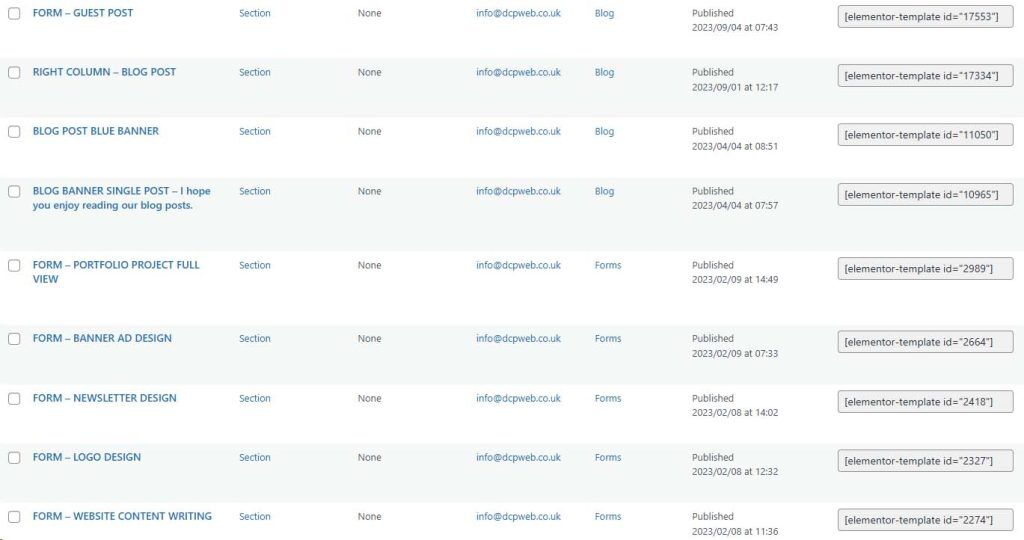
Using Global Widgets in Elementor Pro is a powerful way to maintain design consistency across your website. With this feature, you create a widget just once, such as a call-to-action, contact form, or button and reuse it across multiple pages.
This ensures a unified look and feel, essential for brand cohesiveness. The best part is that if you need to update the widget’s design or content, you only have to make the change once.
The updates automatically reflect across all pages where the Global Widget is used, saving you time and keeping your website visually aligned.
2. Utilise Elementor’s Theme Builder

Elementor Pro’s Theme Builder is a powerful tool that allows you to design custom headers, footers, single post layouts, and archive pages, providing complete control over the structure and appearance of your website. Rather than relying on a theme’s default layouts, Theme Builder allows you the flexibility to design each aspect of your site’s template to reflect your unique brand identity.
This customisation is especially valuable for businesses aiming to create a consistent brand experience, as you can ensure that every element, from the header to the footer, aligns with your visual and functional requirements.
With Theme Builder, you can craft engaging headers with custom navigation and calls-to-action that appear consistently across pages. For blog-heavy websites, the ability to design unique single post templates and archive pages means you can present content in a way that resonates with your audience and keeps the user experience smooth and visually appealing.
Elementor’s Theme Builder also offers conditions for displaying different templates across various sections of your website, letting you tailor designs for specific categories or post types. This feature provides the versatility needed to manage complex sites, ensuring every page serves its intended purpose while aligning with your brand image.
3. Incorporate Dynamic Content

Incorporating dynamic content with Elementor Pro is a game-changer for building versatile, data-driven websites. Dynamic content allows you to insert elements that automatically update based on the context in which they’re displayed, such as post titles, dates, author names, and featured images. This feature is especially useful for creating templated layouts for blogs, portfolios, product listings, and more, where content varies from page to page.
One of the most powerful aspects of Elementor Pro’s dynamic content is its compatibility with Advanced Custom Fields (ACF), which expands your ability to build highly customised sites. With ACF, you can add custom fields to posts, pages, and custom post types, enabling you to capture detailed, structured information unique to each entry. For instance, if you’re building a real estate website, you can create custom post types for properties with custom fields for features like price, square footage, location, and amenities. Using Elementor Pro, you can pull in this data dynamically and display it in a unified, visually appealing layout.
Additionally, ACF allows you to create custom post types tailored specifically to your site’s needs. By combining ACF with Elementor’s Theme Builder, you can create layouts for each custom post type, designing consistent, branded templates that automatically update with the latest entries. This approach ensures that each post type or page section is formatted precisely as intended, without manually updating individual pages or posts.
Dynamic content also supports creating personalised user experiences, such as showing certain content based on logged-in status or user role. For instance, you can design unique layouts for members versus general site visitors, helping you to offer a tailored experience.
Incorporating dynamic content using Elementor Pro and ACF enhances your website’s functionality and scalability, making it easier to manage, update, and personalise content efficiently, an essential capability for any modern business website.
4. Optimise for Mobile Viewports
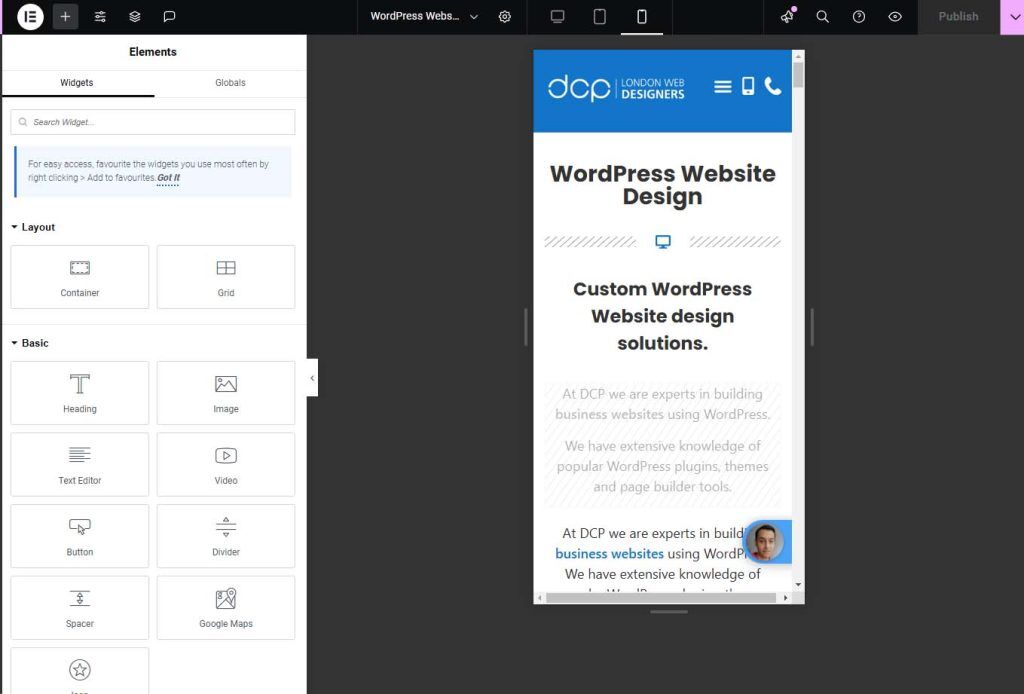
Optimising for mobile viewports is crucial in today’s mobile-first world, and Elementor Pro makes this process seamless with its responsive design tools. Elementor Pro allows you to customise your site’s layout, fonts, and other elements specifically for mobile, tablet, and desktop devices, ensuring that your website looks polished and functions perfectly on all screens.
With Elementor’s responsive editing mode, you can adjust font sizes, padding, and margins to maintain readability and aesthetic appeal across different devices. You can also choose which elements to show or hide on specific devices, making it easy to design a streamlined mobile experience without clutter. For example, you might display fewer images or simplify certain sections for mobile users to improve load times and navigation, while leaving those elements visible on desktop for a richer visual experience.
Elementor Pro also lets you modify alignment, spacing, and even background images to fit mobile screens more effectively, helping to avoid cut-off text or awkwardly scaled images. This level of control allows you to design a professional, user-friendly site that prioritises user experience across all viewports.
By taking advantage of these responsive tools, you create a website that is not only visually consistent across devices but also enhances engagement and accessibility, giving all users a positive experience regardless of their device.
5. Make Use of Elementor’s Pre-designed Templates

Elementor Pro’s pre-designed template library offers a fast and efficient way to create professional, industry-specific website layouts. With templates available for a range of industries like healthcare, retail, real estate, and more. You can jumpstart your website’s design without building from scratch. Each template is fully customisable, allowing you to adjust colours, fonts, images, and other elements to align perfectly with your brand.
These templates are ideal for businesses looking to establish an online presence quickly. Instead of starting with a blank page, you can select a template that matches your industry, then personalise it to create a unique, on-brand site. Pre-designed templates are also incredibly useful for building landing pages, portfolio sections, and service showcases, helping you meet your design needs efficiently.
Using Elementor’s templates saves time and ensures that your website maintains a professional look and structure, making it easy to produce polished, engaging pages that attract and retain visitors.
6. Leverage Popups for Engagement
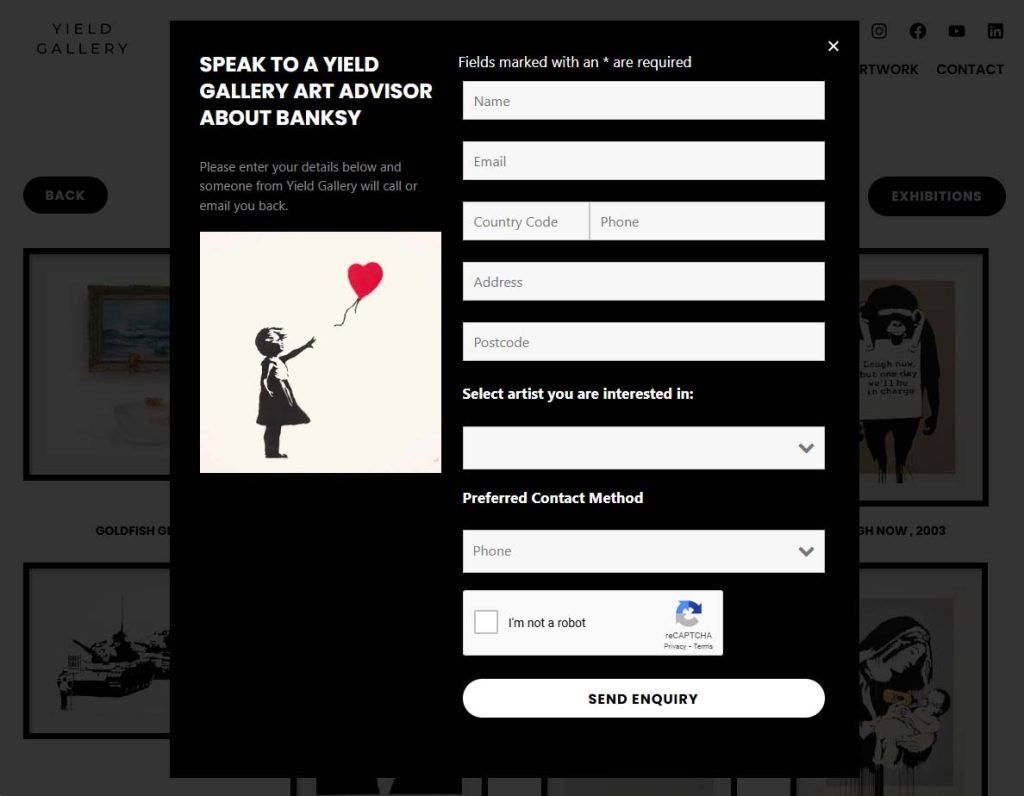
Elementor Pro’s Popup Builder is a versatile tool for boosting engagement and conversions on your website. With it, you can create custom popups for promotions, newsletter sign-ups, announcements, and more. Popups can be strategically triggered by user actions, such as scrolling, time spent on a page, or even intent to exit.
This targeted approach ensures that visitors see relevant information at the right moment, increasing the chances of interaction. With customisable designs, you can make popups that seamlessly blend with your brand, enhancing user experience while effectively capturing leads and promoting important content or offers.
7. Create High-Impact Hero Sections

Creating a high-impact hero section is essential for making a memorable first impression, and Elementor Pro provides powerful tools to design visually stunning hero areas that captivate visitors. The hero section is often the first thing users see, so it should be both engaging and informative, giving them an immediate sense of your brand and offerings. With Elementor’s full-width background images, you can create immersive, eye-catching visuals that draw attention, setting the tone for the rest of the page.
To further enhance the hero section, use overlay text that effectively communicates your core message. This text can include a brief description of your services, a unique value proposition, or even a compelling quote. Paired with a strategically placed call-to-action (CTA) button, such as “Get Started” or “Learn More,” you can guide users toward taking action right away.
Elementor also allows you to add animated effects, video backgrounds, and layered images, adding depth and motion to your hero section. By utilising these features, you can create a hero section that not only grabs attention but also encourages visitors to explore further, setting the foundation for a well-designed, conversion-focused website that leaves a lasting impact.
8. Utilise Advanced Motion Effects

Elementor Pro’s advanced motion effects add an extra layer of dynamism to your website, enhancing user engagement and visual appeal. Features like parallax scrolling, mouse track animations, and scroll effects create a sense of depth and interactivity, making your site more memorable and enjoyable to navigate. For example, parallax scrolling can give the illusion of movement within background images, while mouse track animations respond to user interactions, adding a personalised touch.
However, it’s important to use these effects sparingly to maintain a professional, polished appearance. Overuse can lead to a cluttered design or slow loading times. When applied strategically, motion effects can make your website feel fresh and modern while keeping the focus on key content.
9. Integrate Forms with Your Marketing Tools
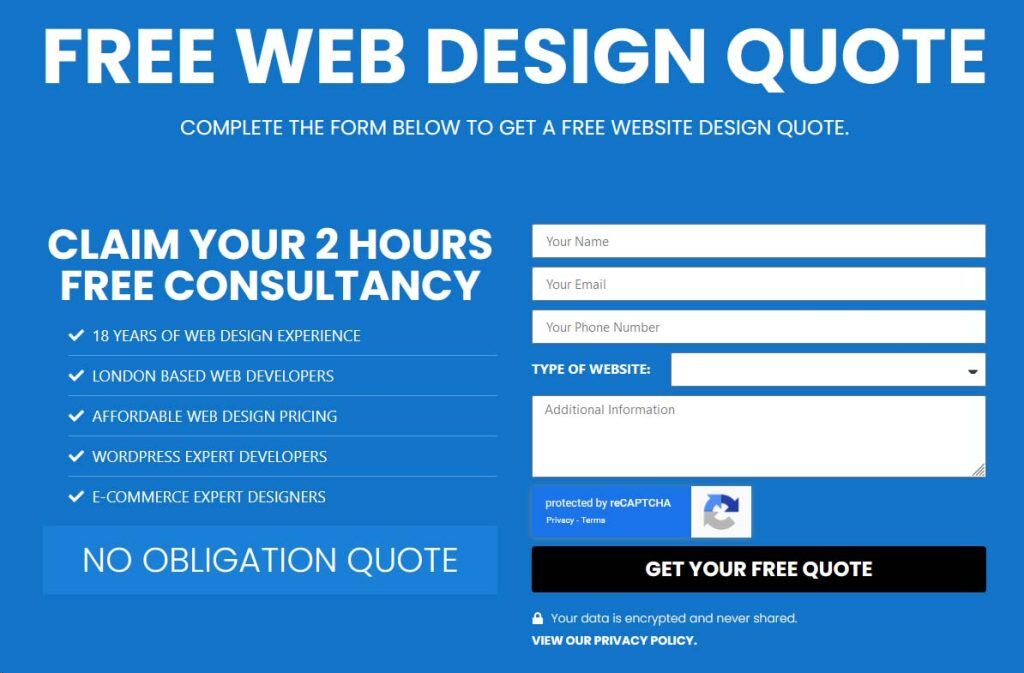
Elementor Pro’s Form Builder is a powerful tool for integrating lead capture forms directly into your website, enabling seamless connections with popular CRM and email marketing tools like Mailchimp, HubSpot, and ActiveCampaign. By embedding these integrations, you can effortlessly capture leads and sync user data with your preferred marketing platform, streamlining your workflow and improving lead management.
With Elementor’s form capabilities, you can design fully customised forms that match your brand and serve various purposes, such as collecting newsletter sign-ups, gathering contact inquiries, or even performing customer surveys. Each form can be tailored to meet specific needs, from choosing field types to adjusting layouts and adding custom messages. Additionally, Elementor Pro supports conditional logic, allowing forms to adapt based on user responses, which helps in creating a more interactive and personalised experience.
Integration with CRM and email marketing platforms ensures that data collected through forms is automatically organised and segmented, enabling you to follow up with leads promptly and target them with relevant content. Whether you’re running promotional campaigns, nurturing existing leads, or collecting valuable feedback, Elementor Pro’s Form Builder and its seamless integration with marketing tools empower you to enhance your customer relationships and grow your business effectively right from your website.
10. Add Custom Fonts and Icons
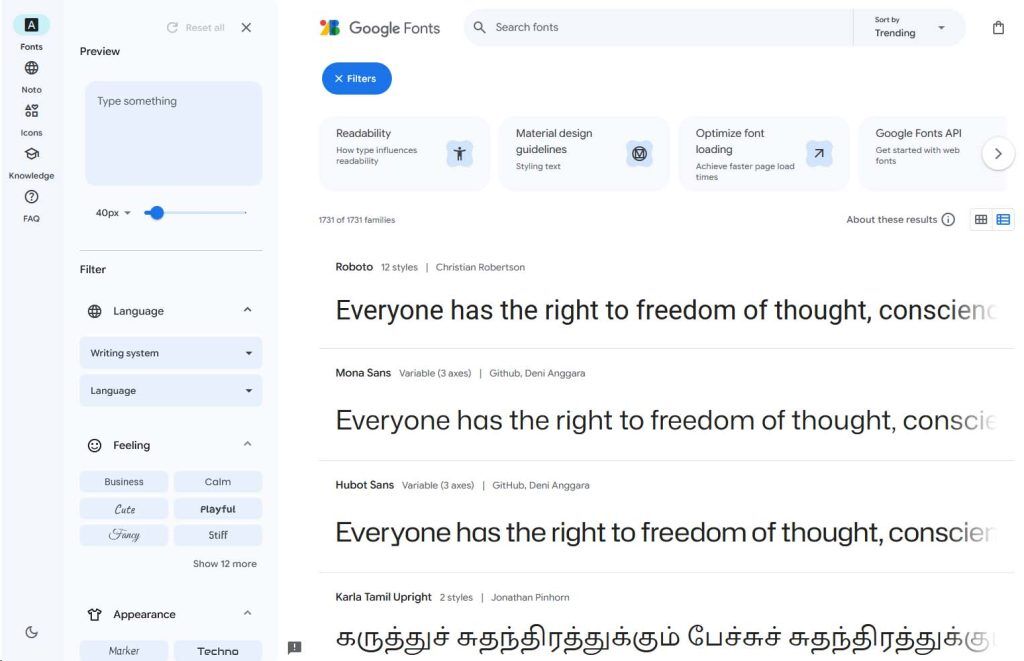
With Elementor Pro, you have the flexibility to upload custom fonts and icons, allowing you to personalise your website’s typography and iconography to align perfectly with your brand identity. By using unique fonts, you can create a distinctive look that stands out and reinforces your brand’s visual style. Similarly, custom icons can replace generic ones, adding a tailored touch to elements like navigation menus, buttons, and infographics.
This feature is especially useful for brands that have established typography or icon guidelines, as it ensures consistency across all digital platforms. Elementor Pro’s custom font and icon options make it easy to create a cohesive, branded experience that resonates with your audience and enhances the professional appearance of your site.
11. Optimise for SEO

Optimising for SEO is critical to ensuring your website ranks well on search engines, and Elementor Pro makes it easy to integrate with top SEO plugins like Yoast SEO and RankMath. These plugins allow you to manage essential SEO elements directly within the Elementor interface, providing a streamlined way to enhance your site’s search visibility. With these integrations, you can optimise meta descriptions, set focus keywords, manage title tags, and create XML sitemaps, all of which contribute to a solid SEO foundation.
Elementor Pro’s compatibility with SEO plugins also means you can optimise your content layout and structure to be more search engine-friendly. For example, you can use heading tags correctly, add image alt text, and ensure content readability, which search engines consider when ranking pages. Additionally, the visual nature of Elementor allows you to see how these SEO optimisations impact your layout and design, ensuring that you don’t sacrifice aesthetics for functionality.
The SEO plugins also offer real-time analysis and suggestions, guiding you on how to improve your on-page SEO as you design. This helps you make the most of each page’s ranking potential, driving more organic traffic and improving user engagement. By integrating SEO directly into Elementor Pro, you build a website that looks great and has the technical foundation to rank well and perform effectively in search results.
12. Set Up Conditional Visibility

Elementor Pro’s Conditional Visibility feature offers powerful customisation options that allow you to tailor your website content based on specific criteria. This feature enables you to show or hide elements depending on factors like user roles, device types, logged-in status, and other variables. Conditional Visibility is incredibly useful for delivering personalised content, enhancing user experience, and improving engagement by targeting specific audience segments effectively.
For example, if you have a membership-based website, you can use Conditional Visibility to display exclusive content or features only to logged-in members. Similarly, you can tailor calls-to-action based on user roles, like offering special discounts or resources only visible to subscribers. This level of customisation helps ensure that each visitor sees the content most relevant to them, leading to a more meaningful user experience.
Device-based visibility options also allow you to optimise content for different screens. For instance, if you have a detailed image-heavy section that works best on desktop, you can hide it on mobile to keep the mobile layout streamlined and fast-loading. Alternatively, mobile users could see specific content or buttons encouraging quick actions suited to smaller screens.
By leveraging Conditional Visibility, you maintain a cohesive yet personalised site, catering to the unique needs of different user groups without creating separate layouts. This approach saves time, improves accessibility, and helps deliver targeted messages, making your site more effective at reaching and engaging diverse audiences.
13. Use the Navigator for Easy Editing
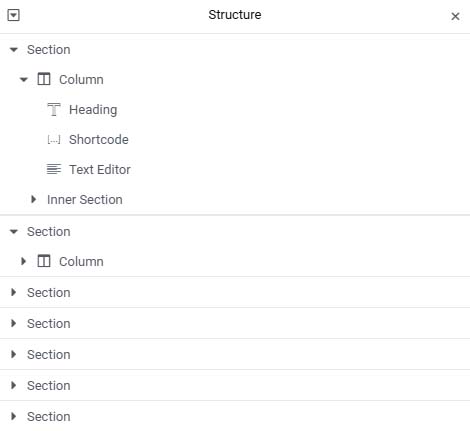
Elementor Pro’s Navigator tool is a valuable asset for managing and editing complex layouts. Acting as an outline of your page, the Navigator displays each section, column, and widget in a hierarchical view, allowing you to quickly locate specific elements. This feature is particularly useful when working on multi-layered designs or large pages with numerous widgets, as it saves you from endlessly scrolling or hunting for sections within the editor.
With the Navigator, you can easily rename elements for better organisation, drag and drop to reorder sections, and toggle visibility for focused editing. It even lets you jump directly to any widget or section with a single click, streamlining the editing process. By providing a clear overview of your page structure, the Navigator tool makes it easy to manage complex layouts, ensuring you maintain a smooth, efficient workflow as you build and refine your website.
14. Use Custom CSS for Additional Styling
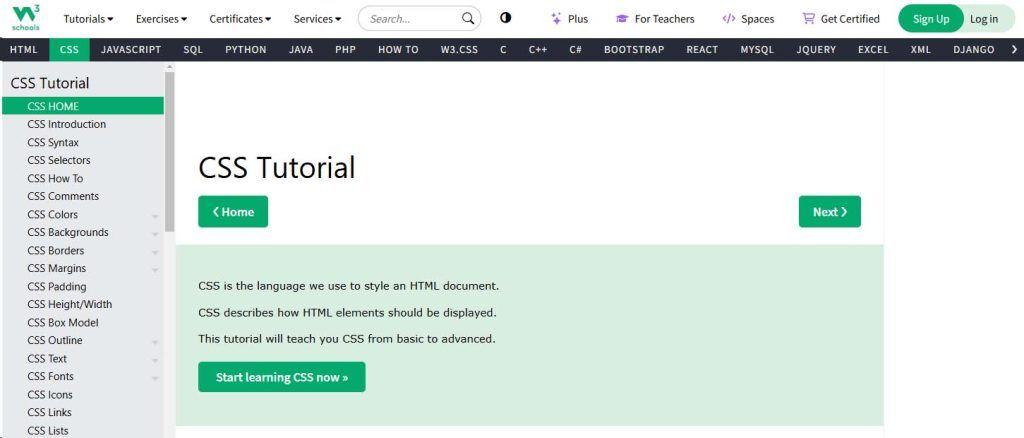
Elementor Pro’s custom CSS feature is a powerful tool for users with CSS knowledge, allowing you the flexibility to apply additional styling directly within the editor. While Elementor offers a wide range of design options, custom CSS lets you take your site’s styling even further by adding unique touches or making adjustments that go beyond the built-in settings.
For instance, you can create custom animations, tweak responsive behaviours, or style-specific elements like forms, buttons, or headers to achieve a more refined, branded look. Custom CSS also applies on a per-widget, per-section, or global basis, giving you precise control over where your styles are implemented.
This feature is especially useful for designers aiming to maintain brand consistency or match unique design specifications. By combining Elementor’s intuitive tools with custom CSS, you can produce a highly customised, professional website that aligns perfectly with your vision and functionality needs.
15. Create Custom 404 and Maintenance Pages
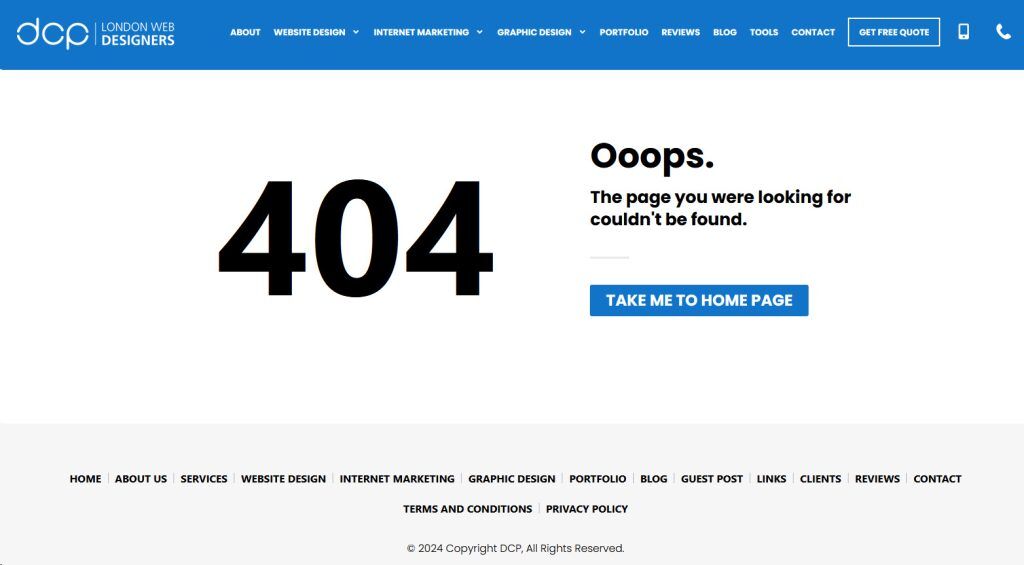
With Elementor Pro’s Theme Builder, creating custom 404 and maintenance pages is easy and valuable for improving the user experience. A well-designed 404 page can guide users back to useful content, reducing frustration when they encounter broken links.
Similarly, a branded maintenance page assures visitors that the site will be back soon. Both pages can include your logo, brand colours, and helpful navigation links, keeping your website visually consistent and professional even during downtime. Custom 404 and maintenance pages contribute to a seamless, branded experience across every aspect of your site.
16. Experiment with Hover and Entrance Animations
Using hover and entrance animations with Elementor Pro can significantly enhance your website’s user experience, making it feel interactive and modern. Elementor Pro provides a wide range of animations that allow you to add subtle yet impactful movements to buttons, images, icons, and other elements. Hover animations, for instance, activate when users move their cursor over an element, adding a touch of dynamism that draws attention to calls-to-action, links, or images. This makes your site more engaging and helps guide user behaviour by highlighting key interactive areas.
Entrance animations, on the other hand, allow elements to appear with effects as users scroll down the page. This is especially useful for introducing content in a visually appealing way, helping to build flow and focus as visitors navigate. By applying entrance animations strategically, you can make certain content stand out, like featured products or service highlights, without overwhelming users.
The key to using hover and entrance animations effectively is subtlety. Too many animations can create a cluttered look, so using them sparingly maintains a polished, professional appearance. With careful application, these animations make your site feel lively and engaging while ensuring that users’ attention is directed toward your most important content.
17. Enable Lazy Loading for Images
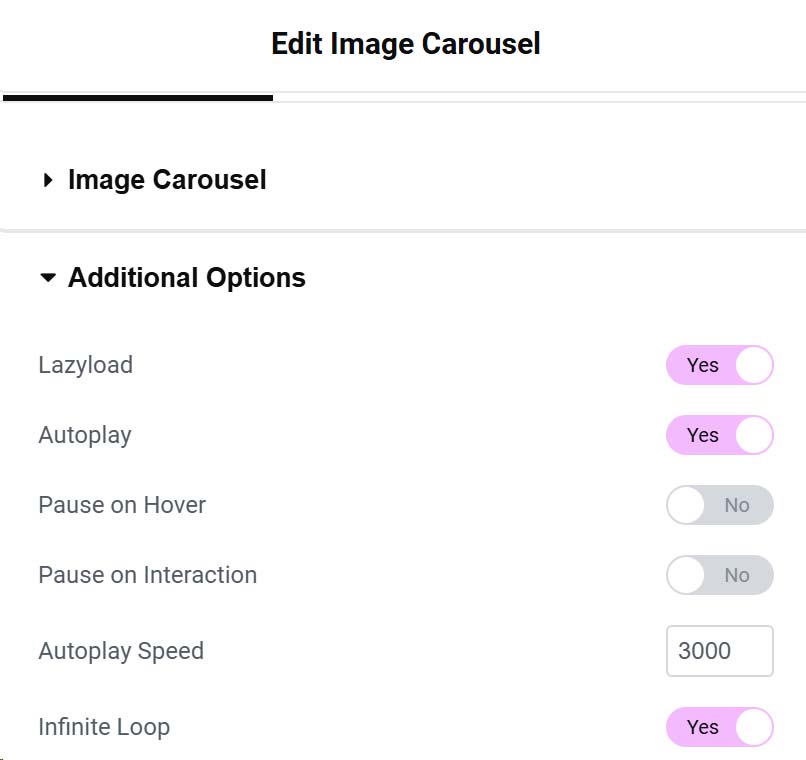
Enabling lazy loading for images is an effective way to improve your website’s performance, especially on image-heavy pages. Lazy loading defers the loading of images until they are about to enter the viewport, which reduces the initial load time and conserves bandwidth. By loading images only when they become visible on the screen, lazy loading significantly speeds up the page load, leading to a better user experience, particularly for mobile users or those with slower internet connections.
Elementor Pro supports lazy loading, allowing you to implement this technique effortlessly across your website. This is particularly beneficial for business websites with extensive galleries, product images, or media-rich content, as it prevents unnecessary delays in loading visible content. Faster load times not only improve user engagement but also positively impact SEO, as search engines favour websites with quicker performance.
Using lazy loading in Elementor Pro ensures that your site remains fast and responsive, which can reduce bounce rates and increase time spent on pages. This feature, combined with other performance-optimising strategies, makes your site feel seamless and encourages users to stay engaged without waiting for all images to load at once, creating a smooth browsing experience from start to finish.
18. Optimise Your Headers and Footers
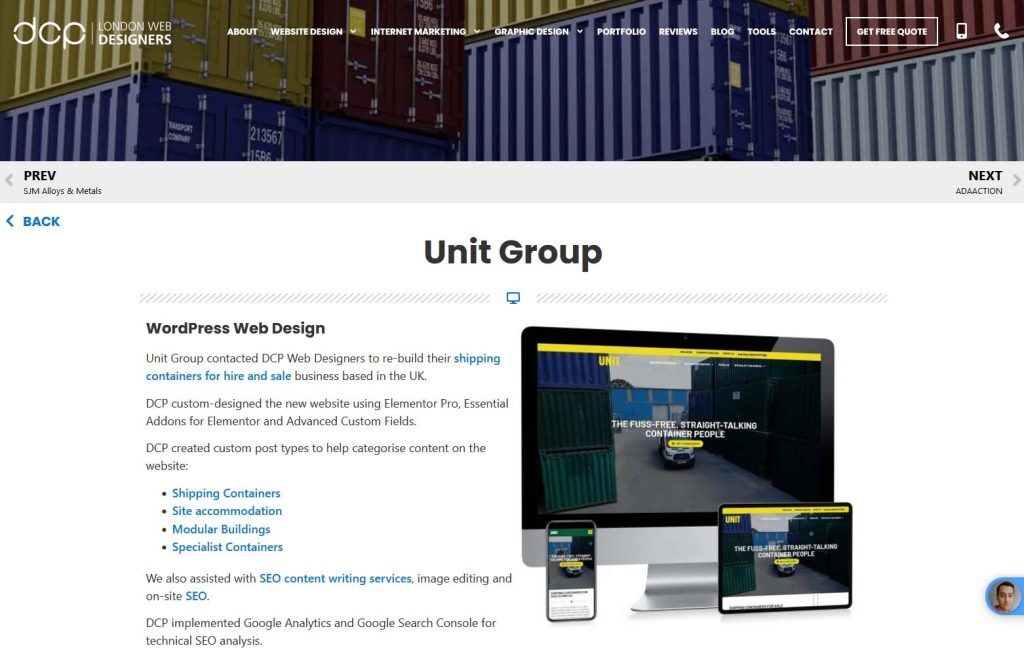
Optimising your headers and footers in Elementor Pro allows you to create a more strategic and personalised user experience across your website. Headers and footers are critical for guiding navigation and reinforcing brand identity, and with Elementor Pro’s Theme Builder, you can fully customise these elements to fit your unique design and functionality needs. Rather than relying on a single header and footer for every page, Elementor Pro lets you tailor them to deliver specific content based on context or user needs.
For example, you could create a streamlined header with minimal links for landing pages to keep the user focused on a specific call-to-action, or add custom promotional banners to the header of product pages to highlight special offers. Similarly, you can design different footers to provide targeted resources, like contact forms or social media links, based on the content of the page.
This flexibility extends to mobile optimisation, where you can adjust headers and footers specifically for mobile devices to ensure they look clean and user-friendly on smaller screens. Additionally, Elementor Pro allows you to set conditions for where each header or footer appears, making it easy to create targeted experiences without needing multiple layouts or duplicate pages.
By customising headers and footers to fit your website’s goals and audience, you enhance usability, improve engagement, and create a cohesive brand experience. This approach to design makes your website feel intentional and professional, with navigational elements that support users’ needs at every step.
19. Use Elementor Shortcodes

Elementor Pro’s support for shortcodes adds significant flexibility, allowing you to embed Elementor-designed sections, widgets, or even full templates within posts, pages, or other Elementor templates. This feature enables you to reuse specific elements across your website without recreating them each time, making it especially useful for frequently used components like contact forms, call-to-action banners, or testimonials.
For instance, if you design a custom sign-up form in Elementor, you can save it as a shortcode and easily place it within any blog post or page where you want to encourage newsletter sign-ups. Similarly, you can embed featured service sections or testimonials across multiple pages to ensure consistent branding and messaging without additional design work.
Elementor shortcodes also enable you to add Elementor content to non-Elementor areas, such as widget areas in your theme’s sidebar or footer, extending the reach of your designs. This level of integration helps you maintain a cohesive look and feel, as well as a streamlined workflow by repurposing key elements. By using Elementor shortcodes, you save time and ensure that essential sections are consistently displayed across the site, helping reinforce brand identity and maintain a polished, professional appearance.
20. Regularly Update and Backup
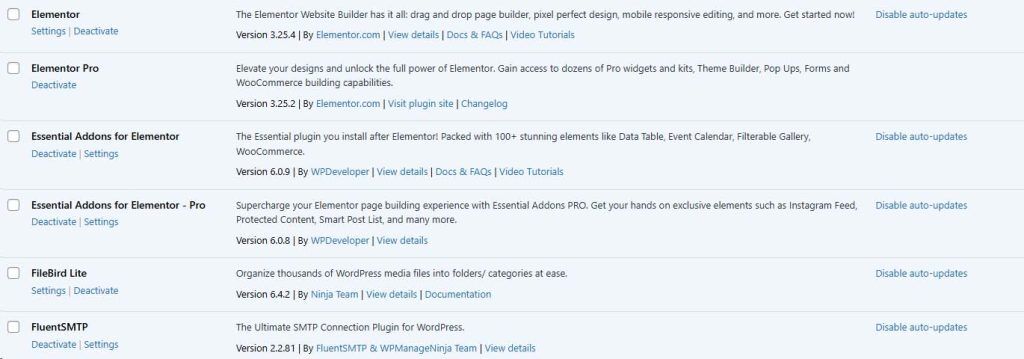
Regularly updating Elementor Pro is essential to keep your website secure, optimised, and equipped with the latest features. Each update may include performance enhancements, new design tools, and critical security patches that protect your site from vulnerabilities. Alongside updates, it’s crucial to back up your WordPress website regularly, particularly before applying any changes.
Backups ensure that, in the event of an update issue or accidental data loss, you can quickly restore your site to a previous, stable version. By keeping Elementor Pro updated and maintaining regular backups, you safeguard your website’s functionality and provide a seamless experience for visitors.
conslusion
Elementor Pro offers a wealth of tools to create visually appealing, functional, and responsive business websites with ease. By leveraging features like Global Widgets, Theme Builder, and custom CSS, you can craft a tailored, professional online presence that aligns with your brand.
Incorporating motion effects, optimising for SEO, and using Conditional Visibility enhance user experience, while updates and backups ensure your site remains secure and up-to-date.
With these strategies, Elementor Pro empowers you to build a dynamic, engaging website that effectively connects with and captivates your audience.



