

Our digital landscape continues to evolve, and with it, the tools we use to engage and understand our audience. Among these tools, free WordPress form plugins stand out for their ability to transform a static website into an interactive hub without straining the budget.
Whether you’re gathering feedback, processing orders, or just looking to connect, these plugins are crucial for adding functionality to your site.
However, with the plethora of options available, selecting the right WordPress forms plugin becomes a daunting task.
This guide aims to simplify that process by highlighting the best free options available for WordPress website design projects. Each plugin mentioned has been chosen for its robust features, ease of use, and the ability to enhance the user experience on your website.

Introduction to the Top WordPress Form Plugins for 2026
This year, the focus on creating engaging online forms has significantly increased, making it more important than ever to choose a WordPress plugin for creating forms that is not only powerful but also easy to use. The top contenders in the market have introduced innovative features like drag-and-drop form builders and pre-made form templates, setting new standards for what you can expect from free plugins for WordPress.
Whether your goal is to create simple contact forms or complex multistep processes, the leading plugins offer an array of functionalities to meet your needs. From intuitive interfaces to responsive design, these tools ensure that creating and managing forms on your website is a breeze. Let’s dive into what makes these plugins stand out and how they can help you achieve your digital goals in 2026.
The Leading Free WordPress Form Plugins of 2026
In 2026, plugins like WPForms Lite, Ninja Forms, and others are leading the charge in providing robust, user-friendly solutions for creating online forms. Each offers unique features and benefits, catering to a wide range of needs. Whether you’re looking for simplicity, advanced functionalities, or something in between, there’s a plugin on this list that’s perfect for your site.
1. WPForms Lite - User-Friendly with Extensive Features
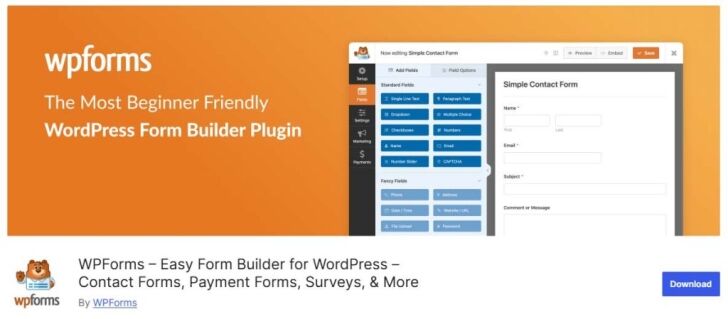
WPForms Lite stands out as a builder plugin for WordPress, offering extensive features that cater to both beginners and advanced users. Its drag-and-drop interface, combined with pre-built form templates and customisation options, makes it one of the most accessible and powerful options for creating online forms in 2026.
Pros and Cons of WPForms Lite
WPForms Lite offers an impressive array of features for a free plugin, including drag-and-drop form building, pre-built form templates, and spam filtering. Its strengths lie in its user-friendly interface and extensive customisation options, allowing for the creation of anything from simple contact forms to complex registration forms with file uploads. However, for those requiring more advanced features like multi-step forms or payment integrations, upgrading to the pro version might be necessary. Despite this, WPForms Lite remains a top choice for users seeking a balance between functionality and ease of use.
Unique Selling Points of WPForms Lite
The unique selling points of WPForms Lite include its user-friendly drag-and-drop interface, making it an ideal builder plugin for WordPress users of all skill levels. The pro version offers additional sophisticated features, but the lite version itself provides a solid foundation with access to pre-built form templates, customisation options, and basic spam filtering. This makes WPForms Lite not just a tool for creating forms, but a comprehensive solution for enhancing user interaction on your website.
Don’t forget to check out WPForms Pro
2. Ninja Forms - Flexible and Developer-Friendly

Ninja Forms has established itself as a versatile tool that caters to developers and novices alike. Its flexibility and extensive range of features make it suitable for almost any type of online form you might need to create.
Advantages and Limitations of Ninja Forms
Ninja Forms is celebrated for its adaptability and extensive library of add-ons and integrations, allowing for a high degree of customisation. Website developers appreciate the freedom to tweak every aspect of their forms, from basic text boxes to complex functionalities. However, beginners might find the array of options overwhelming at first, and some of the more advanced features require premium add-ons, which can increase the cost for users needing more than the basic functionalities.
Why Ninja Forms Stands Out
Ninja Forms distinguishes itself through its flexibility and user-friendly nature, making it an exceptional choice for both beginners and experienced web designers. Its standout feature is the vast library of add-ons available, allowing you to extend functionality far beyond basic form creation. Whether you’re looking to integrate with email marketing services, CRM tools, or payment processors, Ninja Forms has you covered. This versatility ensures that as your website grows, Ninja Forms can adapt to meet your evolving needs without requiring you to learn a new plugin.
For more advanced from processing, check out Ninja Forms Pro
3. Formidable Forms - For Complex Form Creation

If your project demands more advanced forms, Formidable Forms is your go-to plugin. It’s specifically designed for creating complex forms with ease, from quizzes and surveys to detailed payment forms. With its robust feature set, it enables you to build forms that perform complex calculations, making it ideal for businesses that require dynamic forms for bookings, product orders, or service estimations.
Strengths and Weaknesses of Formidable Forms
Formidable Forms excels in creating sophisticated forms that can handle various tasks, including advanced calculations and data analysis. Its strength lies in its flexibility and the depth of customisation options it offers, making it possible to build highly complex forms. However, this complexity comes with a steeper learning curve compared to simpler form plugins. Additionally, while the core plugin is free, accessing the full range of powerful features requires upgrading to a premium plan, which might not suit everyone’s budget.
Distinctive Features of Formidable Forms
Formidable Forms is not just about form building; it’s about creating application-like forms that can process complex data. One of its unique features is the ability to use conditional logic to show or hide fields, pages, or even sections based on user selections. This plugin shines with its capability to create payment forms that integrate seamlessly with various payment gateways, ensuring a smooth transactional experience for users. Moreover, it offers solutions for those who need to build multipage forms with progress bars, enhancing user experience by breaking down long forms into manageable sections.
For more complex forms, have a look at Formidable Forms Pro
4. Jetpack Forms - Integrated Within the Jetpack Suite
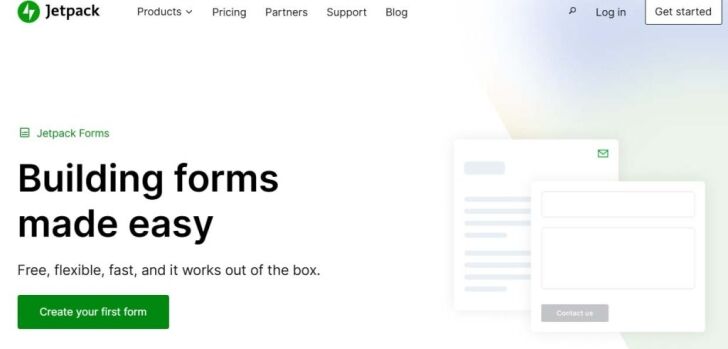
Jetpack Forms come as part of the broader Jetpack suite, offering a streamlined solution for creating simple contact forms. Its integration within Jetpack means it benefits from the suite’s robust security measures, ensuring your forms are protected against spam and malicious activities. This is particularly useful for WordPress users looking for an all-in-one solution to manage their site’s performance, security, and form-building needs.
Benefits and Drawbacks of Jetpack Forms
Jetpack Forms offer a straightforward way to add basic forms to your website, with the added advantage of Jetpack’s comprehensive WordPress security measures. This ensures your forms are not just functional but also secure. However, its limited functionality might not satisfy those looking for advanced form-building features. While it’s perfect for users seeking simplicity and integration with other Jetpack features, those needing more complex forms may find it lacking.
Highlights of Jetpack Forms
The integration of Jetpack Forms with the Jetpack suite brings WordPress security to the forefront, offering peace of mind to users concerned about the safety of their form data. This makes it an attractive option for those already using Jetpack for other aspects of their website management. The simplicity of setting up a form with pre-made templates allows you to get your forms up and running quickly, without the need for extensive customisation or technical knowledge.
5. HubSpot Forms - Best for Marketing Integration
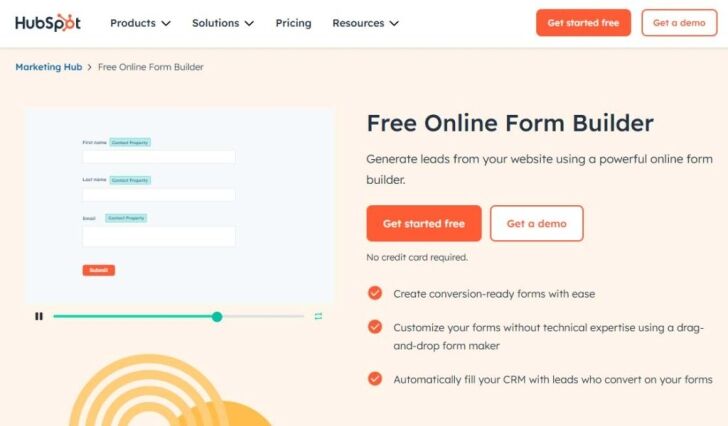
HubSpot Forms is the ideal choice for those looking to integrate powerful marketing tools with their form-building capabilities. Its strength lies in the seamless connection with HubSpot’s CRM and marketing services, making it perfect for businesses focused on lead generation and conversion optimisation.
HubSpot Forms Pros and Cons
HubSpot Forms come packed with many options for customisation and marketing integration, setting it apart as a highly versatile tool for capturing and managing leads. The downside, however, is that to unlock its full potential, particularly the more advanced marketing features, you’ll likely need to invest in a paid plan. This could be a drawback for small businesses or individuals on a tight budget who are still looking for high-quality form capabilities.
Key Features of HubSpot Forms
One of the standout features of HubSpot Forms is its array of pre-built templates and responsive design, making it easy to create forms that look great on any device. This, combined with the ability to seamlessly integrate with HubSpot’s CRM tools, enables you to collect valuable leads and manage them effectively within the same ecosystem. The integration extends to automating workflows, which can significantly enhance your marketing efforts without requiring manual intervention.
6. Gravity Forms - The Pioneer with Robust Features
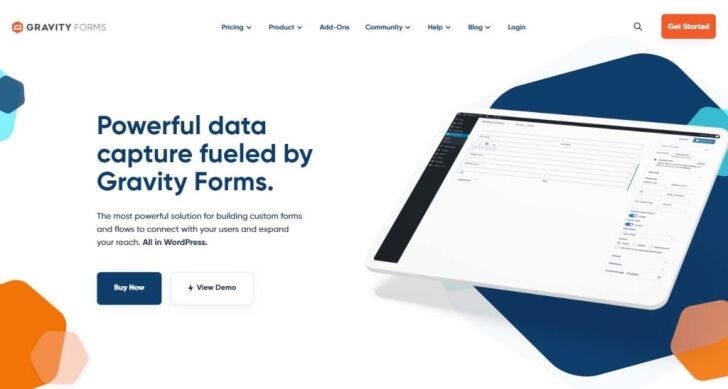
Gravity Forms has long been recognised for setting the standard in the WordPress form builder category. Its comprehensive range of features makes it the go-to option for websites needing advanced form functionality.
The Upsides and Downsides of Gravity Forms
Gravity Forms is celebrated for its robust feature set, including powerful payment forms integration, which allows for the collection of payments, donations, and online orders directly through your website. However, this extensive range of features and options can overwhelm beginners or those with simpler needs. Additionally, the full benefits of Gravity Forms are unlocked with its premium versions, which might not fit within everyone’s budget.
What Makes Gravity Forms Unique
Gravity Forms sets itself apart with its deep integration capabilities, allowing you to connect with various third-party services for payments, email marketing, and CRM. Its advanced conditional logic enables you to create highly personalised form experiences, showing or hiding fields based on user inputs. This level of customisation and functionality makes it ideal for businesses and WordPress developers looking for a powerful form solution that can adapt to complex needs.
7. Fluent Forms - Fast and Efficient Form Builder
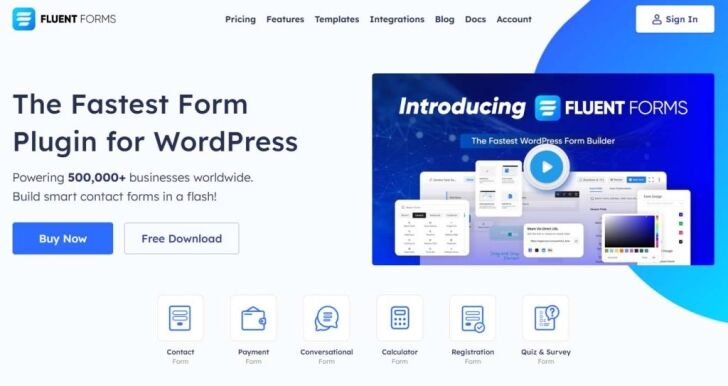
Fluent Forms is recognised for its speed and efficiency, offering a streamlined experience for WordPress users looking to create basic to advanced forms. It’s a top choice for those who value performance and ease of use.
Advantages and Challenges of Fluent Forms
Fluent Forms appeals to users with its fast performance and user-friendly interface, making form creation a breeze even for those without coding skills. It supports a wide variety of form types, from simple contact forms to more complex forms that span multiple pages with a progress bar. Advanced functionality like smart conditional logic and payment integrations broaden its appeal. However, while Fluent Forms is powerful, newcomers might need time to fully grasp its more advanced features.
Core Features of Fluent Forms
Fluent Forms stands out for its rapid and efficient form-building capabilities, which include a wide array of ready-made templates that simplify the process of creating forms. Integration with several payment gateways makes it a breeze for users to set up ecommerce website forms. Moreover, its drag-and-drop interface ensures that even those with no coding experience can design forms effortlessly. These core features make Fluent Forms a versatile choice for WordPress users seeking a comprehensive solution for their form needs.
Essential Features Every WordPress Form Plugin Should Have
When it comes to WordPress form builders, certain features are non-negotiable. Seamless drag-and-drop form building capabilities, advanced conditional logic, real-time email notifications, and integration with payment gateways are just the tip of the iceberg. Additionally, effective anti-spam measures and the option for A/B testing are crucial for optimising form performance and protecting your site.

Seamless Drag and Drop Form Building Capabilities
One of the standout features of WPForms Lite is its drag-and-drop form builder. This function allows you to easily create and customise forms without needing any coding knowledge. Whether you’re adding text boxes, upload files options, or custom CSS, WPForms Lite makes the process straightforward and user-friendly, ensuring that anyone can create professional-looking online forms in minutes.
Advanced Conditional Logic for Customised Forms
Creating forms that adapt to user input can significantly enhance your data collection process. Advanced conditional logic allows you to show or hide fields based on previous responses, making your forms more relevant and less overwhelming for users. This customisation ensures that you’re gathering accurate data and improving the user experience on your site.
Real-Time Email Notifications to Stay Updated
Staying on top of user submissions is easy with real-time email notifications. Once a visitor submits a form, you instantly receive an alert, ensuring that no query goes unanswered. This feature is invaluable for maintaining engagement and responsiveness, qualities that users highly appreciate and expect from professional websites.
Integration with Payment Gateways for Easier Transactions
For businesses, the ability to process payments directly through forms is a game-changer. The top WordPress form builders offer seamless integration with major payment gateways, simplifying the transaction process for both you and your customers. This integration not only provides convenience but also enhances the security and reliability of your online transactions.
Effective Anti-Spam Measures to Protect Your Site
Protecting your site from spam is crucial, and the best WordPress form plugins come equipped with built-in spam protection. These measures ensure that the data you collect is legitimate and that your site remains secure from potentially harmful spam submissions, allowing you to focus on genuine user interactions and feedback.
The Power of A/B Testing to Enhance Form Performance
A/B testing is an indispensable tool for optimising form performance. By experimenting with different versions of your forms, you can determine what works best for your audience, leading to higher completion rates and better user engagement. The leading form plugins make A/B testing straightforward, allowing you to continuously improve your forms based on real user data.
How to Select the Best WordPress Form Plugin for Your Needs

Choosing the right WordPress form plugin involves aligning the plugin’s features with your website’s goals. Consider what types of forms you need, such as contact forms, surveys, or order forms, and ensure the plugin supports these with minimal fuss.
It’s essential to balance functionality with simplicity, opting for plugins that offer the advanced features you need without compromising on ease of use. This approach ensures that the plugin not only meets your current requirements, but is also scalable for future needs.
Matching Plugin Features with Your Website Goals
To select the best form plugin, start by outlining your website’s objectives. Are you looking to generate leads, gather customer feedback, or process orders? Once your goals are clear, look for a plugin that includes specific features to achieve these objectives, such as lead capture forms, customer surveys, and payment integrations. Ensuring that the plugin’s capabilities align with your website’s goals is crucial for maximising its effectiveness and enhancing your site’s performance.
Considering User Experience and Ease of Use
When evaluating WordPress form builders, user experience and ease of use are paramount. A plugin with an intuitive interface ensures quick form creation and customisation, making it accessible to users of all skill levels. Look for builders that offer drag-and-drop functionality, real-time previews, and easy integration with your WordPress theme. These features contribute to a seamless form-building process, enhancing the overall experience for both you and your site visitors.
Evaluating Plugin Support and Documentation
Before settling on a WordPress form plugin, assess the quality of its support and documentation. Reliable support means you can quickly resolve any issues that arise, while comprehensive documentation offers valuable insights into using the plugin effectively. Consider plugins that provide a range of support options, including forums, email support, and detailed guides. This ensures you have the necessary resources at your disposal for a smooth, trouble-free experience.
Advanced Tips for Utilising WordPress Form Plugins

Maximising the potential of WordPress form plugins involves more than just creating forms. Customising forms to match your website’s style and user expectations can significantly enhance user engagement. Consider optimising forms for mobile users by ensuring they are responsive and easy to navigate on smaller screens. Additionally, leveraging analytics can provide insights into how users interact with your forms, allowing for continuous improvement and increased form effectiveness.
Customising Forms to Enhance User Engagement
Customising your forms is key to boosting engagement. Tailor the design and fields of your forms to align with your brand and the information you wish to collect. Utilising conditional logic can also create a more personalised experience for users, presenting them with relevant questions based on their previous answers. These customisations make your forms more interactive and engaging, encouraging more users to complete them.
Optimising Forms for Mobile Users
With the increasing prevalence of mobile internet use, optimising forms for mobile users is essential. Ensure your forms are responsive, meaning they adjust smoothly to different screen sizes. Simplify the form fields and use touch-friendly design elements to enhance usability on touch devices. By prioritising mobile optimisation, you make it easier for mobile users to interact with your forms, leading to higher completion rates and better user satisfaction.
Leveraging Analytics for Continuous Improvement
Integrating analytics with your WordPress forms allows you to track user interactions and identify areas for improvement. Analyse metrics such as form completion rates and drop-off points to understand user behaviour. This data can inform adjustments to form design and content, helping to enhance the form’s performance over time. Continuous analysis and refinement based on analytics are crucial for maximising the effectiveness of your forms.
FAQs on Choosing and Using WordPress Form Plugins

Yes, WPForms Lite is known for its user-friendly interface, making it a popular choice among WordPress users. This lite version provides a solid foundation for basic form needs, with options to upgrade to a paid version for more advanced features.
Can I Create Forms in WordPress Without a Plugin?
While technically possible, creating forms in WordPress without a plugin involves coding knowledge, which can be time-consuming and complex for most users. Plugins like WPForms Lite simplify this process, offering a user-friendly interface and drag-and-drop functionality that allow you to create forms easily without writing a single line of code.
How Do I Embed a Form in WordPress?
Embedding a form in WordPress is straightforward with the right plugin. After creating your form, most plugins will provide you with a shortcode. You can paste this shortcode into a post, page, or widget area where you want the form to appear. The process ensures a smooth integration, making it easy to place forms exactly where you need them on your site.
Are There Free Versions of Premium Form Plugins?
Yes, many premium WordPress form plugins offer free versions with basic functionalities. WPForms Lite and Everest Forms are excellent examples, providing users with essential features for creating effective forms. These lite versions often include integration with Google Sheets, allowing for easy data management. For users with more complex needs, upgrading to the paid version unlocks additional, more powerful features.
How to Ensure My Form is GDPR Compliant?
Ensuring your form is GDPR-compliant involves a few key steps. Firstly, include a consent checkbox that users must tick to agree to your data handling terms. Ensure that your forms collect only the necessary personal information and that you provide clear information on how this data will be used.
Regularly updating your privacy policy and making it easily accessible to users also contributes to GDPR compliance. Implementing these measures helps protect user data and builds trust with your audience.
Final Thoughts on the Best Free WordPress Form Plugins 2026

As we’ve seen, the right form plugin can significantly elevate the interactivity and functionality of your WordPress site. From simple contact forms to complex, multi-page forms with payment integrations and anti-spam protection, there’s a wide range of free options available to meet various needs.
Whether you choose a lite version for basic functionalities or decide to upgrade to access advanced features like conversational forms and unlimited forms, selecting the right WordPress form builder plugin is crucial. By staying informed about the latest innovations, you can ensure that your site remains ahead of the curve, providing a seamless experience for your users.
Elevating Your Website Interactivity with the Right Form Plugin
Choosing the right form plugin can transform your website from static to interactive. With pre-built templates, you can quickly create forms that fit your site’s design and meet your specific needs.
Responsive design ensures that your forms look great and work well on any device, from desktops to smartphones. This means your audience can easily interact with your site, whether they’re signing up for newsletters, submitting inquiries, or providing feedback, enhancing the overall user experience and engagement on your site.
Staying Ahead with the Latest in Form Plugin Innovations
To keep your website at the forefront, it’s crucial to stay updated with the latest form plugin innovations. Features like responsive design ensure your forms automatically adjust to any screen size, providing an optimal viewing experience.
Implementing multi-column layouts can help you create more organised and visually appealing forms, while custom branding allows you to inject your unique style, making your forms stand out.
By leveraging these advancements, you can offer a superior user experience, keeping your website ahead of the curve.
Choosing the right WordPress form plugin depends on your business requirements, the features you need and how your website is expected to grow. Whether you’re collecting enquiries, generating leads or accepting bookings, a reliable form plugin can improve communication and create a better experience for your visitors.
At DCP Web Designers, we specialise in WordPress Web Design in London, creating bespoke WordPress websites with professionally configured contact forms, lead generation tools and seamless user experiences. Whether you’re launching a new website or improving an existing one, our team is ready to help you build a website that delivers more enquiries and supports your business growth.



