

As the internet grows, so do threats from malicious bots and spam. Website owners, especially those using WordPress, are constantly looking for solutions to protect their sites from these risks while maintaining a seamless user experience. Google’s reCAPTCHA is one of the most widely adopted tools for fighting spam and abuse on websites. In particular, reCAPTCHA v3 offers an innovative way to protect websites without interrupting user flow.
In this article, we’ll dive into reCAPTCHA v3, explore how it works, and mention some popular WordPress plugins and page builders that support it.

What is reCAPTCHA v3?
reCAPTCHA v3 is a security measure from Google designed to prevent bots from interacting with your WordPress website. Unlike earlier versions, which required users to complete challenges, such as identifying objects in images or checking a box, reCAPTCHA v3 works in the background. It uses advanced algorithms to analyse user behaviour and assign a “score” indicating whether the visitor is a human or a bot.
The scoring system is based on a scale of 0.0 to 1.0:
- 1.0 indicates the visitor is very likely a human.
- 0.0 indicates the visitor is very likely a bot.
reCAPTCHA v3 helps in ensuring a smooth user experience, as it does not require direct interaction from users. Instead, site owners can set thresholds based on the score to determine how to handle suspicious activity. For instance, if a visitor receives a low score (indicating bot-like behaviour), you can trigger additional security checks, such as two-factor authentication or blocking the visitor altogether.
Why Use reCAPTCHA v3 on WordPress?
WordPress is a highly popular platform, but with its popularity comes the risk of being a target for spammers and bots. Whether it’s protecting login pages, comment sections, or forms from spam, reCAPTCHA v3 offers an unobtrusive way to bolster your website’s security. Since it doesn’t interrupt the user journey, it’s particularly useful for maintaining user experience while offering protection.
Advantages of reCAPTCHA v3 for WordPress
- Non-intrusive: It operates in the background, without requiring users to click a checkbox or solve a challenge, unlike previous versions like reCAPTCHA v2.
- Bot Detection: reCAPTCHA v3’s scoring system can effectively detect suspicious behaviour and trigger additional protective actions.
- Customisation: Site owners have full control over how and when to enforce security measures, depending on the score thresholds they set.
- Improved Conversion Rates: Since reCAPTCHA v3 doesn’t require users to pass visible challenges, it helps improve user flow, which can lead to higher conversions in forms and e-commerce websites.
WordPress Plugins That Support reCAPTCHA v3
Several WordPress plugins offer easy integration with reCAPTCHA v3 to protect various areas of your site from spam and abuse. Let’s look at a few of the popular ones:
1. WPForms
WPForms is one of the most popular form builder plugins for WordPress, and it includes built-in support for reCAPTCHA v3. You can easily enable reCAPTCHA in your forms, such as contact forms, registration forms, or surveys, providing security while maintaining a clean user experience. Its drag-and-drop functionality makes it accessible even for beginners.
2. Contact Form 7
Contact Form 7 is one of the oldest and most popular free form plugins for WordPress. It allows you to integrate reCAPTCHA v3 easily. By including reCAPTCHA in your forms, you can block spam submissions and ensure only legitimate user interactions get through. The plugin makes it simple to add the necessary reCAPTCHA tags without any coding knowledge.
3. Login No Captcha reCAPTCHA
This plugin is specifically designed to add reCAPTCHA to the WordPress login page, helping prevent brute force attacks on your website. It supports reCAPTCHA v3 and provides options to add it to your registration and password reset forms as well.
4. WooCommerce Integration
For WooCommerce-powered online stores, spam prevention is crucial, especially at checkout and registration. Many WooCommerce-specific security plugins, such as WooCommerce reCAPTCHA Integration, provide built-in support for reCAPTCHA v3, helping store owners block fraudulent activity and improve customer trust.
Page Builders with reCAPTCHA v3 Support
Some of the most popular WordPress page builders also support reCAPTCHA v3, allowing for easy integration with forms and other interactive elements.
1. Elementor Pro

Elementor Pro is a versatile page builder that supports a wide range of features, including reCAPTCHA v3. When building forms using Elementor Pro’s form widget, you can enable reCAPTCHA v3 to protect against bots while ensuring a smooth user experience. Since Elementor integrates seamlessly with reCAPTCHA, you can easily set it up and protect forms like contact forms, login forms, and more.
Divi Builder

Divi Builder, another leading page builder for WordPress, supports reCAPTCHA v3 as well. When creating forms with Divi’s form modules, you can enable reCAPTCHA to protect against spam and abuse. Divi’s ease of use and flexibility make it a favourite for those looking to build beautiful and functional websites without compromising security.
Beaver Builder
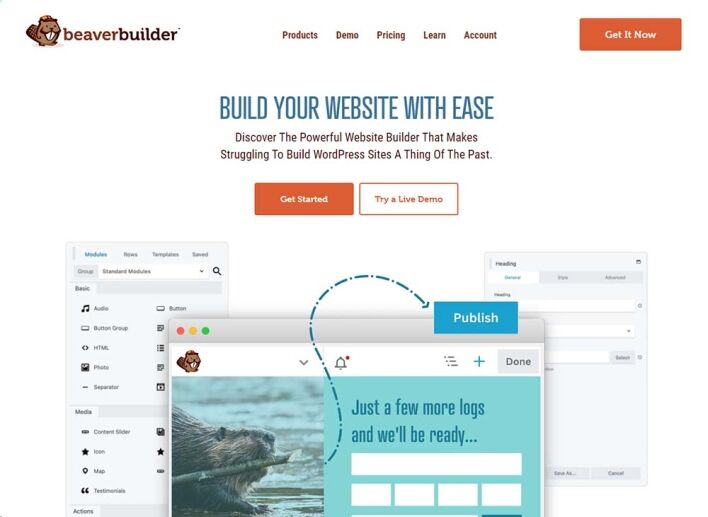
Beaver Builder, known for its simplicity and robust design capabilities, also integrates reCAPTCHA v3. You can add reCAPTCHA protection to any form built with Beaver Builder, ensuring a secure and user-friendly experience for site visitors.
Setting Up reCAPTCHA v3 for Your WordPress Site
To add reCAPTCHA v3 to your WordPress site, you’ll need to:
- Sign up for reCAPTCHA on the Google reCAPTCHA site, where you’ll receive a Site Key and Secret Key.
- Install a plugin that supports reCAPTCHA v3 (like the ones mentioned above).
- Enter your Site Key and Secret Key into the plugin’s settings.
- Configure where you want reCAPTCHA to be enabled, such as login forms, contact forms, comment sections, or checkout pages.
Final Thoughts
Integrating reCAPTCHA v3 into your WordPress site offers a non-intrusive and effective way to prevent spam and bot activity.
With support from popular plugins like WPForms, Contact Form 7, and WooCommerce, and page builders like Elementor Pro and Divi Builder, it’s easier than ever to protect your site without sacrificing user experience.
By enabling reCAPTCHA v3, you can enhance your site’s security, minimize spam, and ensure a smooth experience for legitimate users.



