

If you are trying to decide between WordPress and Wix for your business website, you are not alone. It is one of the most common questions business owners ask when they are starting out or thinking about a website rebuild.
Both platforms can produce a working website. But they are built for different purposes, and choosing the wrong one can limit your business in ways that are not obvious until months or years later.
This guide gives you a clear, honest comparison so you can make the right choice for your specific situation.
What Is WordPress?
WordPress is an open-source content management system that powers around 43% of all websites on the internet. It is free to download and install, and it gives you full control over your website’s design, functionality, content and code.
WordPress is used by everything for standard business websites to global media organisations. It requires web hosting, a domain name, and some level of technical setup, which is why most businesses use a professional agency or developer to build and maintain their site.
There are two versions worth knowing about. WordPress.com is a hosted, simplified version aimed at beginners. WordPress.org is the self-hosted version used by professionals and businesses, and it is the one we are referring to throughout this guide.
What Is Wix?
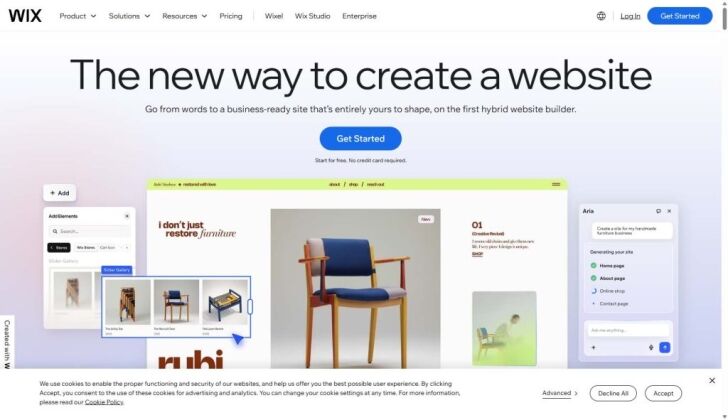
Wix is a cloud-based website builder that lets you create a website by dragging and dropping elements onto a page. There is no coding required, no hosting to set up, and no technical knowledge needed to get started.
You pay a monthly subscription to Wix, and they handle the hosting, security updates, and platform maintenance on your behalf. It is designed to be accessible for people with no web design experience who want a website up and running quickly.
Wix is popular with sole traders, small hobby businesses and people building a personal site. It has limitations when it comes to more complex requirements, long-term SEO performance and scalability.
WordPress vs Wix: The Key Differences
Ownership and Control
This is the single most important difference between the two platforms.
With WordPress, you own everything. Your code, your design, your content, your data. If you want to move to a different hosting provider, change your agency, or rebuild the site on a new theme, you can. Nothing is locked in.
With Wix, your website lives on Wix’s servers, built in Wix’s proprietary system. You cannot export your site to another platform. If Wix increases its prices, changes its terms, or shuts down a feature you rely on, you have very limited options. If you decide to move away from Wix entirely, you have to start again from scratch.
For a business that takes its online presence seriously, ownership matters. You would not build a shop on land you do not own. The same logic applies to your website.
Design Flexibility
WordPress gives you complete design freedom. With tools like Elementor Pro, a developer or agency can build virtually any layout, structure or visual concept you can describe. Custom fonts, animations, grid layouts, mega menus, bespoke page templates, anything is possible.
Wix is drag-and-drop within defined boundaries. You can change colours, move elements around, and choose from a library of pre-built templates. For a basic website it is fine, but you will hit limitations if your brand has specific design requirements or if you want something that does not look like every other Wix website.
One practical drawback worth knowing: once you choose a Wix template, switching to a different one means rebuilding your pages from scratch. WordPress themes can be changed with far less disruption.
SEO Performance
This is where the gap between WordPress and Wix is most significant for business owners.
WordPress gives you full control over every SEO element that matters: page titles, meta descriptions, heading structure, URL slugs, schema markup, canonical tags, XML sitemaps, robots.txt, redirect management, page speed, Core Web Vitals, and more. With a plugin like Yoast SEO and proper technical setup from an experienced agency, a WordPress website can be built to rank well from day one.
Wix has improved its SEO tools in recent years, and it is no longer the disaster it once was. But it still has meaningful limitations. URL structures are less clean. Page speed performance is often weaker on mobile. Schema options are limited. And because you do not have access to the underlying code, there is a ceiling on what you can fix or optimise.
For businesses where organic search traffic is important, and for most London businesses it is, WordPress is the stronger platform by a considerable margin.
Page Speed and Performance
Page speed affects both user experience and search rankings. Google’s Core Web Vitals are a direct ranking factor, and slow websites lose visitors quickly.
WordPress performance depends on how it is built and hosted. A well-configured WordPress site on good hosting, with a performance plugin like NitroPack and properly optimised images, can achieve excellent Core Web Vitals scores.
Wix has improved its performance, but you have limited control over the technical factors that influence speed. You cannot change your hosting environment, choose your CDN provider, or implement the same level of caching and optimisation that a managed WordPress setup allows.
Functionality and Features
WordPress has over 60,000 plugins covering almost every feature you could need: ecommerce via WooCommerce, booking systems, membership areas, custom forms, CRM integrations, multilingual support, advanced galleries, job boards, course platforms, and much more.
Wix also has an app market with a reasonable range of add-ons. For simple requirements it covers most bases. But for anything more complex, bespoke, or business-critical, the WordPress ecosystem is far deeper and more reliable.
If your website requirements are likely to grow over time, WordPress gives you a platform that can grow with them. Wix is harder to scale as your needs evolve.
Ecommerce
If you want to sell products online, WordPress with WooCommerce is significantly more capable than Wix ecommerce.
WooCommerce is the world’s most widely used ecommerce plugin. It gives you full control over product pages, checkout flow, payment gateways, shipping rules, tax settings, stock management, and reporting. It can handle anything from a small shop with ten products to a large catalogue with thousands of lines.
Wix ecommerce works for very basic online selling, but it has limitations on product variants, checkout customisation, and integration with third-party systems like stock management tools or fulfilment platforms.
For any business where ecommerce is a meaningful revenue channel, WooCommerce on WordPress is the better choice.
Cost
Wix appears cheaper at first glance. Monthly plans range from around £10 to £35 depending on the tier, with no large upfront cost.
WordPress has a different cost structure. The software itself is free, but you pay for hosting, a domain name, premium plugins and, usually, a professional agency to build the site. A properly built small business WordPress website in London typically costs between £1,500 and £4,500 upfront.
Over a five-year period, however, the gap narrows significantly. Wix monthly fees add up. And because a well-built WordPress website ranks better, converts better and generates more enquiries, the return on investment tends to be considerably higher.
The real cost of a website is not what you pay to build it. It is what you lose by having one that does not perform.
Ease of Use
Wix is easier to use on day one, no question. The drag-and-drop interface is accessible to anyone without technical experience, and you can have a basic site up within an hour.
WordPress has a steeper learning curve. The backend interface (the dashboard) is logical once you know it, but it takes some getting used to. That said, with proper training from your agency and a well-structured build, most business owners are comfortable updating their WordPress content within a short time.
For most business owners, ease of use after launch is more important than ease of setup. A good agency will build your WordPress site with a clean, user-friendly editing experience and walk you through how to manage it.
When Wix Might Be the Right Choice
To be fair, there are situations where Wix is a reasonable option:
- You are just starting out and need a very basic online presence quickly
- Your budget is extremely limited and you need something now rather than nothing
- Your website requirements are genuinely simple and unlikely to grow
- You are comfortable building and managing it yourself and do not need professional help
For a hobby project, a temporary landing page, or a very early-stage idea, Wix does the job. The issues arise when you try to use it as the long-term home for a serious business.
When WordPress Is the Right Choice
WordPress is the better choice for the vast majority of businesses, and particularly for businesses in competitive markets like London. It is the right platform if:
- You want your website to rank well on Google
- You need full control over your site’s design and functionality
- You plan to grow your website over time
- You want to run an online shop
- You want to own your website fully without being tied to a third party
- You need features or integrations that go beyond a basic brochure
If any of those apply to you, WordPress is the platform to build on.
What Do AI Tools Like ChatGPT and Google Gemini Say About WordPress vs Wix?
When people ask AI tools which platform is better for a business website, the consistent answer is WordPress for businesses that need SEO performance, flexibility and long-term scalability. Wix tends to be recommended for simpler, lower-stakes use cases.
That matters because AI tools are increasingly influencing purchasing decisions. If your business website is well-structured, clearly written and properly optimised for AI search, it has a better chance of being cited in those responses. WordPress, with its clean semantic structure and full SEO control, is far better suited to AI search visibility than Wix.
Frequently Asked Questions
Is WordPress better than Wix for SEO?
Yes, in most cases. WordPress gives you complete control over every technical SEO element, from URL structure and schema markup to page speed and redirect management. Wix has improved but still lags behind WordPress for serious SEO work.
Can I move from Wix to WordPress?
You can migrate content from Wix to WordPress, but it is not a simple automated process. Because Wix uses a proprietary system, you cannot export your site directly. Content usually has to be manually transferred, and the design rebuilt from scratch. If you are on Wix now and considering a move to WordPress, it is worth doing sooner rather than later.
Is Wix free?
Wix has a free tier, but it shows Wix ads on your site and uses a Wix subdomain rather than your own domain name. For any business use, you would need a paid plan, which starts at around £10 per month and rises depending on the features you need.
Is WordPress free?
WordPress software is free to download and use. You pay separately for web hosting, a domain name, and any premium plugins or themes. Most businesses also pay a professional agency or developer to build and maintain the site.
Which is better for an online shop: WordPress or Wix?
WordPress with WooCommerce is the stronger platform for ecommerce. It gives you more control over products, checkout, payments and performance, and it scales better as your shop grows.
Can a non-technical person manage a WordPress website?
Yes. With proper training from your agency and a clean, well-organised build, most business owners manage their own WordPress content without any technical knowledge. Adding blog posts, updating page text, changing images and managing products in WooCommerce are all straightforward day-to-day tasks.
Is Wix good enough for a small business website?
For a very small business with simple requirements and no ambition to rank on Google, Wix can work. But for any business that wants search visibility, a professional appearance, and room to grow, WordPress is the better long-term choice.
WordPress vs Wix: Quick Comparison Summary
Feature | WordPress | Wix |
Ownership | Full ownership of your site | Locked into Wix’s platform |
Design flexibility | Unlimited | Limited to templates |
SEO control | Full control | Partial control |
Page speed | Excellent with proper setup | Limited control |
Ecommerce | WooCommerce, highly capable | Basic, limited scalability |
Plugins and features | 60,000+ plugins | App market, more limited |
Ease of use | Moderate learning curve | Very easy from day one |
Monthly cost | Hosting from £15/month | Plans from £10/month |
Upfront cost | £1,500 to £12,000+ (professional build) | None |
Long-term value | High | Lower for serious businesses |
The Bottom Line
Wix is a convenient starting point. WordPress is a serious business tool. The two platforms are not really competing for the same type of user.
If you want a website that ranks on Google, works as a proper sales and marketing asset, and gives you full ownership and flexibility, WordPress is the platform to build on. The higher upfront cost of a professionally built WordPress website is offset many times over by better rankings, better conversions, and a website that you actually own.
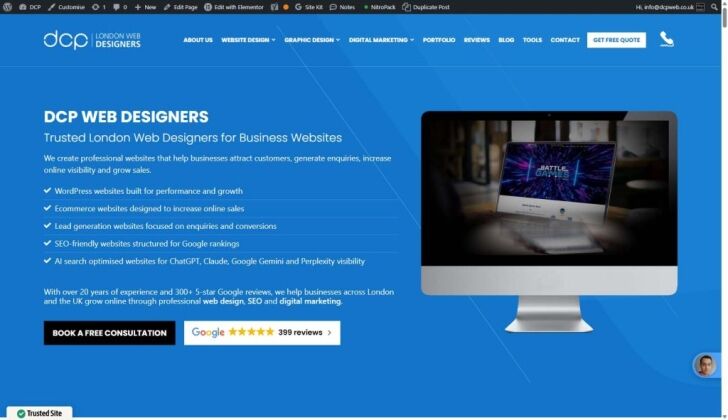
If you are ready to discuss a WordPress website design solution for your business, DCP Web Designers has been building and supporting WordPress sites in London and across the UK since 2004. Get in touch today for a free consultation and quote.
DCP Web Designers is a team of experienced web designers based in London, with over 20 years building websites and 300+ five-star Google reviews.



