

If you want your WordPress site to show up on Google and attract real visitors, you are in the right place. This guide is designed to strip the confusion out of SEO and give you direct, practical steps that beginners can actually follow. We will cover simple setups, hands-on tips, and the “why” behind every step, right down to the basics.

No jargon, no wild promises, just what works-especially for UK businesses trying to be seen online. Whether you’re after more customers, calls, or readers, strong SEO will make sure your site isn’t hiding in the back alleys of the internet. Let’s make your WordPress site work harder for you.
Understanding SEO and How Google Search Works

Before you dive headfirst into tweaking your WordPress settings or stuffing pages with keywords, it pays to understand what SEO is actually about. SEO isn’t just there to please Google; it’s about making sure real people find your website when they need what you offer. At its heart, SEO is all about visibility. If Google can’t find or understand your website, no one else will either.
Google’s search system is clever, but it needs your help to find your best content. It works by crawling across the web, indexing information, and deciding which sites answer people’s questions best. As simple as it sounds, there are plenty of ways to miss out on getting noticed if you don’t follow the basics.
By learning what matters to search engines, you can make smart choices that help your site appear where it counts-in the search results, in front of people looking for what you offer. Up next, you’ll see why SEO is important for WordPress sites and how Google really decides who comes out on top.
What Is SEO and Why It Matters for WordPress
SEO stands for Search Engine Optimisation. It’s the process of making your website more visible to people searching for things related to your business on Google and other search engines. When you get SEO right, your site shows up higher in search results, which means more visitors coming in without you having to pay for adverts.
For WordPress users, SEO is even more important. WordPress is popular because it is easy to use and quite friendly to search engines from the start. But, even though it’s set up well, most sites need a bit more work before they really start to perform in Google. You can’t just launch a site and hope for the best.
The biggest benefit of SEO is attracting what’s called “organic traffic.” That’s people who find your site naturally, not from ads. More organic traffic leads to extra chances of making sales, getting calls, or just spreading your message. And with good SEO, you’ll often get visitors who are more likely to become customers.
In short, SEO is a set of steps that improves your website’s visibility and ranking. With a WordPress site, even tweaking a handful of settings or adjusting your content can make you much easier to find. That small effort can deliver big results, especially for local businesses or anyone starting out.
How Google Search Discovers and Ranks Content
Google uses special bots, often called crawlers to visit websites and look at their pages. When these bots reach your site, they scan each page and collect information. This process is called “crawling.” After crawling, Google saves the details in a huge database known as the “index.” If a page isn’t in Google’s index, it won’t show up in search results, plain and simple.
Once your content is indexed, Google uses a set of rules-known as algorithms-to decide which page appears where when someone searches. It looks at many signals, like how relevant your text is, how well the page is built, and how trustworthy your site seems. Google also cares if your pages load quickly and if people find your information helpful and easy to understand.
Recently, Google’s ranking system has started using AI technology to look beyond keywords. It checks whether your content is actually useful for real people, not just written for search engines. Pages that explain things clearly and answer real questions tend to climb higher up the results.
In the end, your ranking comes down to how easily Google can crawl and index your content, how relevant it is, and whether it offers genuine value to visitors.
The goal is to give both Google and your readers what they are looking for.
Building a Solid Foundation for WordPress SEO
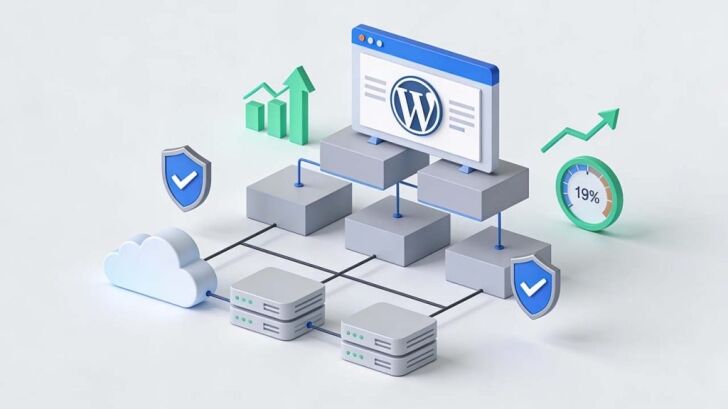
Before you start adding flashy features or chasing the latest SEO trends, it’s important to get the basics right. Think of this section as the groundwork-your site’s building blocks. If you put them in place now, you’ll save yourself headaches later and create a website that’s faster, more secure, and ready for Google.
Solid hosting and the right WordPress theme help you avoid hidden technical issues down the line. A safe, secure site with clean, descriptive URLs is easier for search engines to crawl and for people to trust. These technical decisions might seem boring, but they are the difference between a site that struggles and one that actually gets found.
By taking care with your hosting, security, and site structure from day one, you set yourself up for better rankings and fewer problems. The best part? Most of these steps don’t take much time, but they make a big impact on your SEO success long term.
Choosing High-Performance Hosting and SEO-Friendly WordPress Themes
- Pick reliable hosting for speed and uptime: Choose a hosting provider that offers solid reliability, fast load times, and good customer support. UK-based servers often help your local searches. A slow or frequently down website loses visitors and drops in Google’s rankings.
- Look for WordPress-specific features: Good hosts provide one-click WordPress installs, automatic updates, and backups. These features keep your site safe and running smoothly without any technical fuss.
- Choose a theme built for performance: Lightweight themes with clean code load much faster. Avoid themes packed with unnecessary features-these can slow your site down. Fast, simple designs are just as stylish and a lot more search engine friendly.
- Check for SEO-friendly design: An SEO-friendly theme will use proper heading structures (H1, H2, H3), be compatible with SEO plugins, and make it easy to organise your menus. A good theme is easy for both people and Google to navigate.
- Avoid problematic themes: Stay away from themes that haven’t been updated or have poor reviews, warning about speed issues or bugs. An outdated or messy theme causes technical problems that can stop your site from being indexed properly by search engines.
Securing Your Website with SSL HTTPS and Creating Descriptive URLs
- Switch your site to HTTPS: Get an SSL certificate from your hosting provider, which adds a padlock to your address bar and changes your address from HTTP to HTTPS. Google gives a slight ranking boost to secure sites, and visitors trust them more.
- Update your WordPress site address: Make sure your WordPress settings use the HTTPS version of your website. This keeps everything consistent and avoids warnings or errors for visitors.
- Set up descriptive, readable URLs: Use WordPress “permalinks” that contain your main keywords and are easy to read. For example, use www.example.com/services/plumbing rather than www.example.com/?p=123. Clear URLs help Google understand your content and look more attractive in search results.
- Avoid clutter and unnecessary words: Short, simple URLs are easier for both Google and people to remember. Cut out filler words like “the,” “and,” or strange codes that add no meaning.
- Make your URL structure future-proof: Think ahead about how your addresses will look as you add new pages or services. A well-planned structure keeps your website tidy and easier to manage as it grows, supporting better rankings in the long run.
Mastering On-Page and Content Optimisation
This is where the magic starts to happen-when you focus on the actual content your visitors see. A well-written page with the right keywords and structure isn’t just for Google. It’s for your real readers too. Getting the balance right helps your site turn up in more searches and ensures people stick around once they land there.
In this section, you’ll see how to weave keywords naturally into your content, how to format your headings and meta tags so they work for you, and why being unique is vital. Keyword stuffing or copying content won’t cut it anymore. Google and your visitors both prefer pages that answer their questions clearly and stand out from the rest.
By focusing on these practical steps, you make every page more valuable to your business and more appealing in search results. This effort sets your site up for lasting success instead of random spikes in traffic.
Finding the Right Keywords with Simple Research Methods
- Start with what your customers type in: Think about words and questions your target audience actually uses to find your products or services. This is the starting point for all good keyword research.
- Use free keyword tools: Try Google’s Keyword Planner or tools like Ubersuggest or Answer the Public. These help you see what people are really searching for, and often show related keyword ideas to broaden your content.
- Add in location keywords for local results: If you’re aiming for local customers, include place names (like “Manchester cleaner” or “plumber in Birmingham”) to attract people nearby who are ready to book or buy.
- Check what works for your competitors: Search your main keywords on Google and see who ranks at the top. The words they use in their titles and page content can inspire your own keyword choices.
- Use target keywords in the right places: Add your main keyword naturally in your page title, first paragraph, headings, and a few times in your text. Keep it sounding natural, as Google dislikes forced stuffing.
- Pick quality over quantity: It’s better to target a handful of good keywords that match your real customers’ needs, rather than chase dozens that don’t fit your business. This way, you attract visitors who actually want what you offer.
Adding Meta Descriptions and Structuring Headings for Better Results
- Write clear, inviting meta descriptions: These short snippets show up under your page title in Google results. A good meta description tells people what to expect and encourages them to click your link, not your competitor’s.
- Keep meta descriptions short and focused: Stick to 150-160 characters, summarising your main message with your main keyword included once. This fits nicely into Google’s display and adds a touch more relevance.
- Use headings properly: Start with one H1 tag-the main page title-followed by H2s for section headings and H3s for sub-points. Organised headings guide both people and search engines through your page’s main ideas.
- Make your headings meaningful: Headings aren’t just bigger text. They should clearly hint at the content beneath and encourage visitors to keep reading. Vague or empty headings don’t help anyone.
- Structure pages for easy scanning: Most people skim before they dig into details. Short paragraphs, bullet points, and bolded phrases make your pages simple to scan and more appealing, lifting your chances of ranking well.
Avoiding Duplicate Content and Making Every Page Unique
Duplicate content happens when two or more pages on your site-as well as across different sites-have very similar or identical text. Google doesn’t like this because it makes it harder to decide which page deserves to show up in search results, and it can spread your ranking signals too thin.
Common causes include copying product descriptions from suppliers, repeating standard text across location pages, or letting your blog categories overlap too closely. Even innocent mistakes, like using your homepage text on your about page, can count as duplicate content in Google’s eyes.
The best way to avoid these problems is to plan your pages carefully and write each one with unique value in mind. If you must publish very similar content (for example, service pages for different towns), use canonical tags to show Google which page you want to rank. Most SEO plugins make this easy.
Having unique titles, descriptions, and body text for every page is not just good for Google-it also helps your visitors see the real value of each offer. Stand out with fresh content, and both Google and your readers will notice.
Technical SEO for WordPress Sites

The technical side of SEO might sound intimidating, but it’s not just for web developers. Even if you don’t write code, there are simple tweaks and tools in WordPress that help you tick all the right technical boxes and keep your site running smoothly in Google’s eyes.
Speed, mobile performance, and making sure Google can crawl all your pages are huge factors in getting found. No matter how good your content is, a slow or clunky website will sink in the search results. The best part? Many of these fixes take minutes and pay off for months or years.
This section will guide you through practical steps like boosting speed, making your site work on any device, and submitting a sitemap to help Google discover your content. Get these things right, and you’re halfway to better rankings already.
Improving Site Speed and Creating a Mobile-Friendly User Experience
- Compress your images: Large photos can grind your site to a halt. Use smaller file sizes and .webp format if you can. Tools like TinyPNG or built-in WordPress features make this process simple and keep your site zippy.
- Use a caching plugin: Plugins like NitroPack or WP Rocket store ready-to-go versions of your pages, loading them for visitors in a flash and improving your Google rankings.
- Pick a responsive theme: Make sure your theme looks good and works well on all devices, from massive screens to tiny mobiles. If your site is awkward to use on a phone, visitors will leave and so will your search rankings.
- Test your site on different devices: Regularly check how your pages appear on your phone and tablet. Google loves mobile-first sites, and a smooth mobile experience keeps everyone happy.
- Keep plugins to a minimum: Only install what you need. Too many plugins slow your website and can introduce security risks or technical bugs.
- Minimise page clutter: Ditch unnecessary animations, autoplay videos, or pop-ups. Clean content loads quicker and helps visitors get to what they need without delay.
Creating and Submitting an XML Sitemap with Google Search Console
- Create your sitemap: Use a plugin like Yoast SEO or Rank Math to automatically generate an XML sitemap. This file lists every important page for Google to find.
- Submit your sitemap in Google Search Console: Add your site and paste your sitemap address (usually /sitemap.xml) into the “Sitemaps” section. Google will use this to crawl your entire site.
- Check for errors or pages not indexed: In Search Console, look for messages about crawling problems or missed pages. Fix any issues, as they appear to keep your content visible in search results.
Using Google Search Console to Monitor Technical SEO and Performance
- Set up your site in Google Search Console: This free tool helps you track how Google interacts with your site. Follow the step-by-step instructions to verify ownership and start getting data: https://search.google.com/search-console/about
- Monitor your indexing status: The “Coverage” report shows how many pages have been indexed and flags any errors or blocked pages. Fix these to maximise your visibility.
- Track your keyword rankings: In the “Performance” report, you can see which search queries bring in the most visitors, how often your pages show up, and where you currently rank.
- Spot and fix errors quickly: Search Console alerts you to broken links, crawl errors, and mobile usability problems. Solving these promptly keeps your SEO strong and your visitors happy.
- Monitor changes over time: Use the data to notice trends, spot drops, and measure the impact of your SEO updates. Knowing what’s working helps you focus your efforts and grow your site’s results steadily.
Enhancing Content with Images, Videos, and Internal Linking

Bright, useful images and videos give your site extra flavour and keep people interested for longer. But they are not just for show-Google pays attention to how you use media and how well you connect your information through internal links.
When you tag your images correctly and add clear descriptions, you improve accessibility for every visitor, even those using screen readers. Smart use of videos can grab people’s attention and keep them on your page-something Google values highly. At the same time, linking your pages together makes your site easier to explore and helps Google understand which content matters most.
Done well, these small touches boost your site’s performance and show Google your site is complete, practical, and worth ranking above others. They help your visitors-and your SEO-go further with every click.
Image and Video Optimisation for SEO and Accessibility
- Compress image files: Larger images slow down your site. Use image compressors or convert to .webp format. Faster load times keep visitors happy and help your rankings.
- Choose clear, keyword-rich filenames: Instead of naming a photo “IMG1234.jpg,” use something like “london-plumber-van.jpg.” This helps Google understand the image and can improve your appearance in image results.
- Add descriptive alt text: Alt text helps both visually impaired users and Google bots. Write a short description of what’s in the image using your keywords naturally where it fits.
- Embed videos sensibly: Place videos near related content and give each a clear caption or introduction. Avoid auto-play features that annoy users, and make sure videos don’t slow down your page.
- Aim for accessibility: Every image and video should be useable for all visitors. Good labels, captions, and readable formatting let everyone share in your content, and Google rewards this effort with better rankings.
Building Internal Links for Better User Experience and SEO
- Link to relevant pages inside your site: When you mention a topic covered elsewhere, link to it using descriptive anchor text. For example, “see our kitchen plumbing guide” works better than just “click here.”
- Use natural, meaningful phrases: Avoid stuffing your links with keywords. Let the anchor text make sense in your sentences and relate directly to the page you’re linking to.
- Check for broken or outdated links: Fixing broken links improves user experience and keeps your site looking professional. Out-of-date links can hurt your SEO and annoy visitors.
- Structure your pages in a logical order: Link to main service or product pages from your home and key posts, not just at random. A clear path for both visitors and Google bots boosts your authority across the whole site.
- Keep your linking balanced: Too many internal links on a single page can confuse both readers and search engines. Use links where they add value, not just for the sake of it.
Boosting Rankings with Off-Page SEO and Website Promotion

Getting your website in shape is only half the story. To rise above the crowd, you need signs from the outside world that your site is trustworthy and worth ranking. That’s where off-page SEO comes in, pulling in signals from other websites, social networks, and the wider internet.
Building links, getting mentioned in articles, and being active on social media all send positive signals to Google. These votes of confidence help convince the search engine that your site is genuine and deserves more attention. Building authority does not have to mean spending big or chasing every trend.
Even brand new sites or small UK businesses can climb higher by making simple moves to promote themselves. Focus on what works, and you will find your website’s reputation growing steadily over time, along with your ranking.
Understanding Off-Page SEO and Growing Brand Awareness
- Get backlinks from reputable sites: When other trustworthy websites link to yours, Google sees your site as more reliable and relevant. Reach out to local business directories or industry blogs for guest posts or listings.
- Encourage social sharing: Make it easy for people to share your pages on Facebook, Twitter, and LinkedIn. Social activity helps spread your name and can draw in new visitors, even if it doesn’t directly boost rankings.
- Build up your online reviews and reputation: Ask satisfied customers to leave reviews on platforms like Google Business Profile or Trustpilot. Positive feedback tells Google and real clients that your business is reputable.
- Mention your brand consistently: Use your exact business name and contact details everywhere you can online. This builds authority, trust, and avoids any confusion, especially for local businesses trying to appear in Google Maps.
- Promote your site in relevant communities: Join local forums, Facebook groups, or industry chats where your ideal customers spend time. Answering questions or sharing your expertise builds awareness and can lead to more natural backlinks over time.
Taking WordPress SEO Further with Helpful Tools and AI

If you want to keep your SEO strong and stay ahead of the competition, using the right plugins and smart tools is the next step. WordPress plugins can simplify tasks that look technical and help you avoid missing important details. Analytical tools also make it much easier to see what’s working and where to improve.
The world of SEO is shifting quickly, especially with Google using more AI for search rankings and displaying content as helpful overviews. Schema markup and AI-powered features help your website stand out, even in competitive searches. These tools let smaller sites hold their own against bigger brands, so you don’t have to do everything alone.
Making use of both classic plugins and new AI helpers gives your WordPress site an edge, keeping your search results steady as the world of search continues to change. Staying updated and experimenting with these tools puts you in a strong position for the long haul.
Getting Started with WordPress SEO Plugins and Essential Tools
- Install an SEO plugin like Yoast or Rank Math: These help manage on-page optimisation, generate sitemaps automatically, and check your content for SEO mistakes before you publish.
- Connect to Google Analytics: This free tool shows you where your visitors come from, what they do on your site, and which pages bring the most value. The insights help you adjust your strategy for better results.
- Use keyword tracking tools: Tools like SEMrush or Ahrefs (or even free browser plugins like Keywords Everywhere) help you monitor where you rank for different keywords and find new opportunities.
- Automate routine SEO tasks: Many plugins can take care of technical points like adding canonical tags, checking for broken links, and submitting updated sitemaps. This frees up more time for you to focus on your business.
- Pick tools that fit your budget: You don’t need to spend a fortune. Many free plugins and tools get the basics done, and you can always upgrade to paid versions as your business grows.
Using AI and Structured Data for Long-Term SEO Success
- Add schema markup with plugins: Schema helps Google understand your content better and display rich snippets (like star ratings, FAQs or business info) in search results. Plugins like Schema Pro make this easy without coding.
- Keep up with Google’s AI updates: Google now uses AI-powered “helpful content” overviews when deciding rankings. Focus on writing clear, honest answers that put real people’s needs first.
- Use AI tools to improve your writing: AI assistants can help check for grammar, structure, or keyword use, which keeps your content user-friendly and boosts SEO without sacrificing quality.
- Stay consistent with structured data: Apply the same business name, address, and phone number (NAP) across your site and business listings. Structured data and clear contact info help you appear in local maps and feature boxes.
- Future-proof your strategy: The web is changing fast. By adding schema and exploring new AI features early, you get ahead of competitors and keep your SEO strong as search engines evolve.
Conclusion
WordPress SEO does not need to feel overwhelming. When you focus on the basics, build your site properly, write helpful content, and make sensible improvements over time, results follow. SEO is not about tricks or shortcuts. It is about making your website clear, useful, and easy to trust for both people and search engines.
If you are just starting out, work through one section at a time. Get your hosting and structure right, improve your pages, check your technical setup, then look at promotion and tools. Small, steady changes often beat rushed fixes. The key is consistency.
Search results change, but the core principles stay the same. Help your visitors, keep your site tidy and fast, and stay curious about what works. Do that, and your WordPress site will be in a strong position to grow its rankings, traffic, and results long into the future.



