

The use of emails can be traced back to the 1970s. During that time, they were used for communication within a local network. The growth of the internet decentralised emails. They became popular communication methods globally. Today, people use emails for private communication, tailored marketing, and official messages.
Due to their extensive use, many people open multiple email accounts. They may have an account for personal banking, online shopping, marketing, etc. It can be challenging handling three, five, or more accounts. These tips will help you effectively manage multiple accounts associated with email.
How to create multiple email addresses from one account
Creating multiple email addresses from one account depends on your email provider. You could be managing Yahoo, Gmail, or Apple Mail. Each provider is different and has different settings requirements. You can get informative resources on the information page of each provider’s website.
Yahoo is one of the oldest mail providers in the market. Modern providers may have better security and speed. You might no longer require your Yahoo account for various reasons. Your main concern could be how to delete Yahoo accounts and save your messages. This process is easy because you only need to open the Yahoo termination page. Before you do it, save your important mail. You can send them to a different account. If you need more information about this process, go right here. Instead of taking risks, this link will provide detailed information to keep your data safe. The termination page contains the onscreen prompts to follow. The only setback you might have is that you can never recover your account or messages once deleted.
To create multiple email accounts on mail, follow these steps.
- Open your targeted Gmail account.
- On the top right of your screen, click on your profile picture. This will open a drop-down menu.
- Scroll down the menu and open the Add Another Account button.
- A dialogue box will open to let you type your additional Gmail account.
- Click on the Next button and follow the prompts. You will be required to create a password.
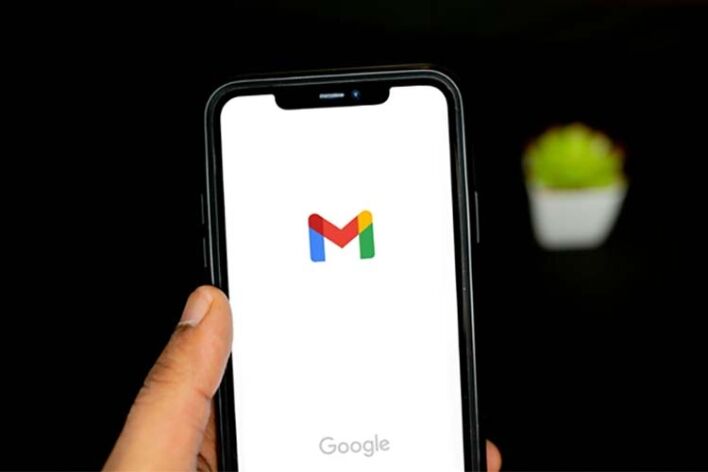
Image Credit: Unsplash
How many email accounts should I have
Many experts recommend creating a maximum of four accounts. The reason for this is your online security and the possibility of breaches. Your provider might be suspicious if you sign up for too many accounts. If you need more, you can open with a different provider. You must develop an effective plan for managing multiple emails. Be conscious of security and follow mail management best practices.
Secrets to handling different email accounts for different purposes
Use mail management tools
Email management tools help you do several tasks across your accounts. You can use it to sync your accounts for easier management. The tools integrate well with calendars and other services. Tools like Mailbird and Mailspring increase your email management efficiency. They have icons for setting up reminders, notifications, and snoozing.
Create several email signatures
Your mails cannot look professional if you use similar signatures across the accounts. Be unique and create a different signature for each account. Add your title and brand name to work accounts. Add your name to a simple message for personal accounts. You can create several accounts in Gmail and Outlook. These providers let you switch between signatures easily.
Create a unified inbox
A unified inbox lets you manage all your accounts in one place. It saves you time and stress for switching from one account to the next. Identify your main account and link the rest to it. Once you do this, all your emails will be delivered to the main account’s inbox. Apple Mail and Gmail have this feature.
Maintain a clean inbox
A cluttered inbox makes it hard to manage or find messages. It is stressful when you have several accounts with cluttered inboxes. Check messages that you don’t need and delete them. Identify old messages and archive them. Create a backup folder in the cloud or hard disk to limit the number of emails in your inbox. This makes it easier and less stressful to manage them.

Image Credit: Unsplash
Use email filters and folders
Filters and folders are necessary for maintaining an organised inbox. Set them for automation filtering of incoming emails. They can filter them based on importance or sender. It can also filter them based on dates, headings, or messages. Create folders where these emails will be filtered. You can have a work folder, shopping, personal, etc. This gives you an easier time finding your messages and managing them.
Switch on email forwarding
You might want to redirect emails to different accounts for different reasons. You must constantly monitor your inboxes to do this efficiently. This can be stressful if you have many messages requiring forwarding. The easier way is to enable email forwarding in all the accounts. Create settings so that your emails are forwarded automatically. You can never miss an important message when you use this feature.
Create labels and tags
Labels and tags provide a better way to organise your emails. Labels let you create several email categories like family, work, community, and personal. Tags let you mark certain emails based on priority, purpose, etc. This makes it easier to find specific messages or categories. It keeps your inbox organised or simplified. Gmail is popular for its vibrant labelling features.
Learn to use keyboard shortcuts
Keyboard shortcuts are an excellent tool for people who type a lot of emails. Shortcuts also help you switch between pages and windows. You can use them to copy-paste, cut, redo, and more. They save you time and help you become more productive. Shortcuts help improve the health of your eyes and neck. You will no longer need to focus on the mouse too often.
Conclusion
It is challenging to manage multiple email accounts. It doesn’t have to be difficult for you. There are many tricks you can use to get the best experience. Use email management tools to automate most tasks. Unify your inboxes to manage them from one place. Keep your inboxes clean and use labels and tags. These give a better view of messages. These tricks minimise the stress of managing your accounts. They help increase productivity.
- Custom web design
- Secure and fast website solution
- Full management training
- Take control of your website
- SEO optimisation
- Reliable web hosting and emails
Article by Pankaj Shah: DCP Web Designers



