

In 2021, email traffic amounted to roughly 320 billion(!) e-letters sent and received every day. There are 4 billion email users worldwide, and their number increases by 3% annually. These are favourable conditions for business development, indeed. However, phishing and malware are the reverse sides of the coin.
Thanks to machine learning and AI, mailing systems’ filters evolve rapidly to protect users from potential web scams. To get into recipients’ Inboxes, the sender needs to have an impeccable reputation and follow GDPR and CAN-SPAM Act guidelines. And not only these.
Even though you created and, as soon as your domain gets too many rejections or spam complaints from recipients, your reputation will be damaged almost irrevocably.
Thorough email search, relevant content, and proper account warm-up, among others, are what’ll limit these perils and allow running email marketing with zero reputational risks.

Why does sender reputation matter?
Sender reputation is a very dynamic value. It changes with every email message. You can take years to build a good reputation, but one wrong step can set you back.
Sender reputation can be thought of as a kind of total score. It is one of the factors that email service providers take into account when analysing an email and deciding on its delivery. The higher and better your indicators, the higher the guarantee that the email will land in the “Inbox.”
Email providers judge a sender’s reputation according to several indicators. Although none disclose the precise formula, if we consider Gmail Postmaster’s guidelines, the following indicators can be determined:
- Spam rate – the number of emails marked as spam divided by the total number of emails sent to active users.
- IP address reputation – a score that shows how trustworthy the sender’s IP is.
- Domain reputation – the metric that is based on a history of previous mailings.
- Authentication – a percentage of sender’s emails that passed through SPF, DKIM, and DMARC.
- Encryption – a share of the sender’s inbound and outbound encrypted traffic.
- Delivery errors – a parameter that includes various mailing inconsistencies, for example, bad or unsupported attachments, spammy-looking content, and others.
Mailing systems score reputation to distinguish potential cyber criminals. Fraudsters may pretend to be well-known brands or organizations and request users’ sensitive information, such as bank card numbers, passwords, and more.
Therefore, if one’s reputation score drops, it’s time to determine causes and take action as soon as possible. If you want to check your score as a sender, try Postmaster by Gmail, or any other free or paid tool.
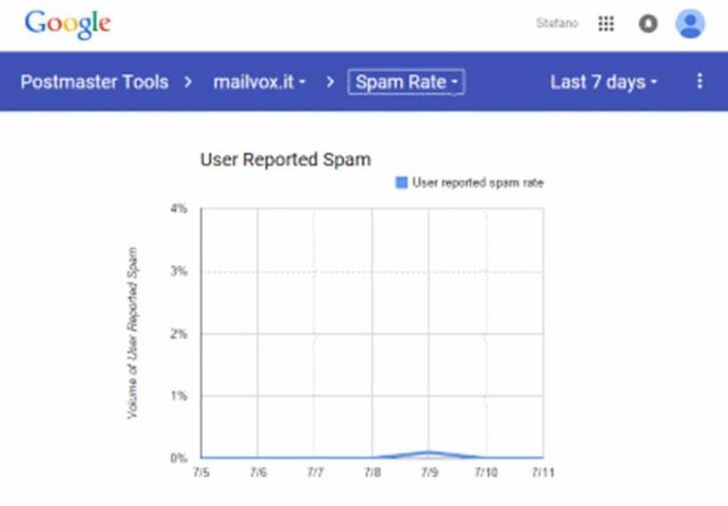
Source: Postmaster
How to check the sender’s reputation?
Tracking the above factors gives an overall picture of the sender’s reputation. For more specific information, we recommend using email marketing tools such as Mail-Tester and SenderScore.
Mail-Tester
This tool checks emails for spam words, files with prohibited content, technical problems, and so on.
Prepare the e-address you want to check. MailTester will generate a random email address, for example, [email protected]
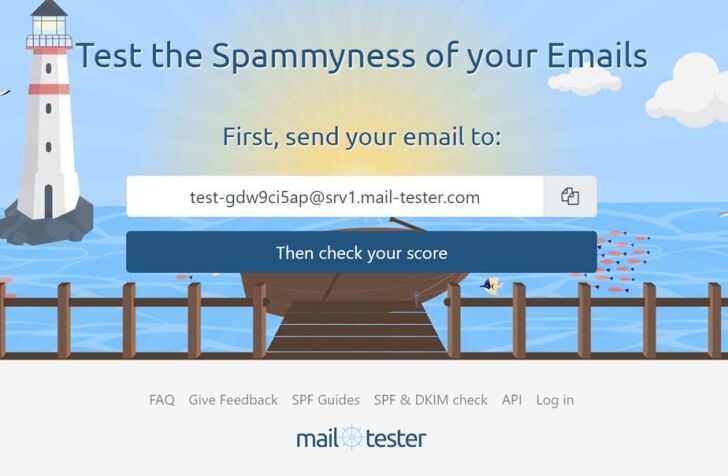
Source: MailTester
After you’ve sent a message to this generated email, get back to MailTester.com and click on the “Check your score” button. The program will analyze your newsletter and show a detailed report with a total score.

Source: MailTester
Use Gmail or any other mailing provider of your preference to send test emails to MailTester and come up with points for improvement.
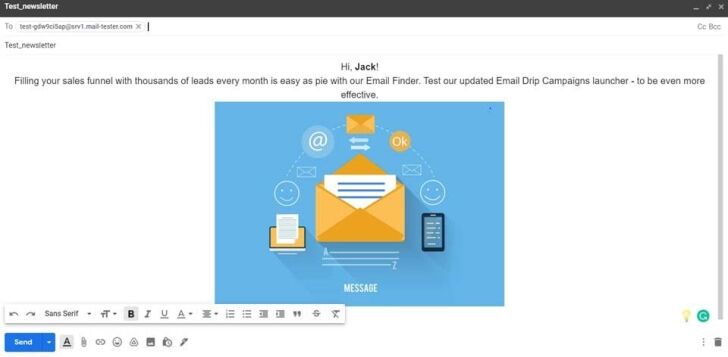
Assess your newsletters’ headings, content, or visual authenticity by sending test emails to the dedicated mailbox
Sender Score
This service provides information about the domain from which emails are sent and provides an SSL certificate, a protocol that digitally binds a cryptographic key with company information. It will measure your reputation and give you a score from 0 to 100 (80+ is a great result!).
1. Add IP address or domain name.
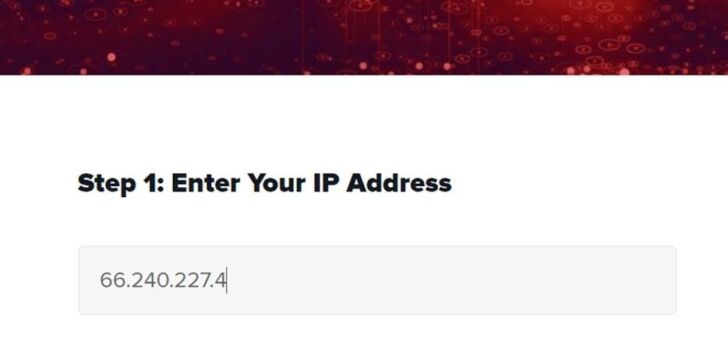
Source: SenderScore
2. Evaluate the received metrics.
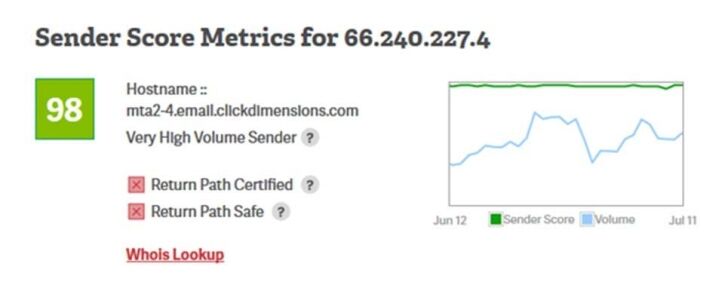
Source: SenderScore
What does the rating depend on?
Email providers assess the sender’s reputation to conclude whether incoming emails may be processed or not. According to best mailing practices from Gmail, a reliable sender is the one who:
- emails from the same IP address;
- doesn’t mix different types of content within the same message;
- uses self-descriptive e-addresses, for example, sales@company_name.com or support@company_name.com;
- doesn’t send phishing messages;
- doesn’t mislead recipients by impersonating another domain.
Taking into account Gmail recommendations and email encryption policies by GDPR, we can assume the following factors may cause a sender to be banned by the majority of mailing systems:
- the presence of an IP address or domain in blacklists;
- spam complaints;
- the number of non-existent addresses and the presence of spam traps in the database;
- no proper email authentication settings;
- the number of emails that are deleted without being read.
Besides, also pay attention to the following factors:
- regularity of mailings;
- programs with the help of which the newsletter was sent;
- content of the email and links in the text;
- the percentage of opens and clicks;
- replies to the email and forwards the message.
To ensure your reputation is high, check out each of the aforementioned points and identify shortcomings. Eliminate them before launching the next email campaign.
How to improve the email sender’s reputation?
Validate email database
If you purchased an email database or collected it long ago, it would be indispensable to validate the list before launching any mailing campaign. Get rid of invalid addresses, spam traps, and misspelt email addresses. Email validation will help you maintain a high sender reputation.
Update mailing list regularly
Monitor how subscribers interact with emails. If your brand mailings fail to be opened and read for a certain period, say 2 to 3 sequential times, then send a reactivation letter to subscribers. If that doesn’t work, remove their addresses from the mailing list.
Use a double opt-in
Two-step verification is a strict rule for all senders, according to the GDPR rules. These imply that every time a subscriber gives their email address to the sender, the latter should ask a person to confirm this via a Confirmation or Welcome email.
Warm-up your IP
The new IP address is also called “cold” because it has not yet won the trust of the Internet provider. To warm up your IP address, increase mailing volume gradually. Start with no more than 50 emails per day. If you see open rate and CTR are low, it’s better to pause the campaign to eliminate possible issues.
Increase email open rates
Add self-descriptive and sound sender’s name, subject line, and pre-header. Align these with the message itself. To keep an open rate high, consider proper frequency – don’t be either too annoying or too quiet. Experiment with email copywriting – conduct A\B tests to find combinations that grab your audience’s attention the most.
Personalize when possible
Personalize content – address recipients by name, use proper gender pronouns, and customize offers according to customer’s preferences or purchasing history.
Remember to add an “Unsubscribe” option. Although this may somewhat reduce your address database, this is a GDPR requirement and a simple courtesy.
Create relevant content
Despite technical tricks, providing valuable content is a key factor in your email marketing success. Consider the following best recommendations:
- Launch trigger-based campaigns to adjust messages to the recipient’s previous actions.
- Schedule holiday or season-inspired emails – wish a Happy Birthday or Merry Christmas or announce mid-season sales.

“Make content responsive to the season”, source
- If possible, target content locally.
- Add checklists or questionnaires to engage the audience more.
Final Summary
Your reputation can turn a small business into an industry leader. When it is high enough, the competitive advantage is on your side. Thanks to this, you have no difficulty in attracting new customers and retaining old ones. But you will quickly find out about a decline in reputation due to the churn of the target audience, a drop in sales, and, accordingly, income.
Sender reputation is a complex score that is determined by many factors. If you act in compliance with GDPR rules and provide subscribers with worthy content, there’s pretty much nothing to worry about.
- Custom web design
- Secure and fast website solution
- Full management training
- Take control of your website
- SEO optimisation
- Reliable web hosting and emails



