

Building a website without writing code is now easier than ever, thanks to intuitive website builders like WordPress, Wix, and Webflow.
These platforms offer drag-and-drop functionality, pre-designed templates, and user-friendly interfaces, enabling businesses and individuals to create professional websites quickly no coding skills required.
Start building your website effortlessly today!
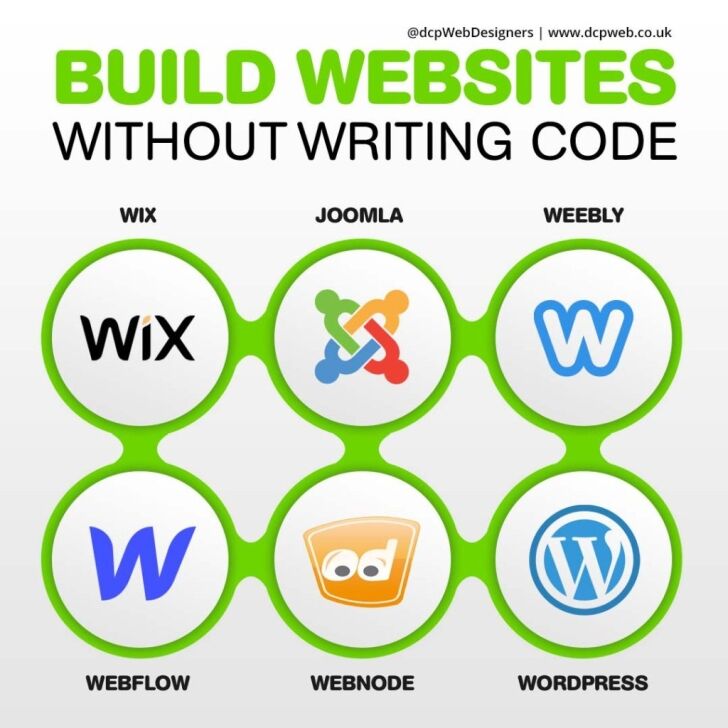
In this infographic article, we will look at the top 6 best tools to build websites without writing code and list the advantages and disadvantages of each platform so you can make an informed decision.
WordPress: The Most Popular Website Platform
WordPress is the world’s most widely used content management system (CMS), powering over 40% of all websites. It is a flexible and powerful platform that allows users to build anything from a blog to complex ecommerce shops and business websites. Originally launched as a blogging tool, WordPress has evolved into a comprehensive website-building solution, with thousands of themes, plugins, and customisation options available.
There are two versions of WordPress: WordPress.com, a hosted version with limited flexibility, and WordPress.org, the self-hosted version that offers full control and customisation. Most businesses and professionals prefer WordPress.org because of its extensive functionality and freedom to design a completely custom website.
Advantages of WordPress
- Free and Open-Source – WordPress is free to use and open-source, meaning developers continuously improve it, and anyone can modify it to meet their needs.
- Highly Customisable – With thousands of themes and plugins, users can build a website that perfectly suits their business or personal brand.
- SEO-Friendly – WordPress is designed with SEO in mind, and plugins like Yoast SEO and Rank Math help optimise content for better search engine rankings.
- Scalable and Flexible – WordPress can support anything from small personal blogs to large-scale ecommerce websites, thanks to its scalability.
- Strong Community Support – With a vast community of developers and users, WordPress offers extensive support, tutorials, and forums for troubleshooting.
- Ecommerce Ready – Plugins like WooCommerce allow users to set up and run an online store with advanced ecommerce features.
- Full Ownership and Control – Unlike website builders like Wix or Webflow, WordPress lets users fully control their website, including hosting, data, and security settings.
Disadvantages of WordPress
- Requires Some Technical Knowledge – Unlike drag-and-drop website builders, WordPress has a steeper learning curve, especially for those unfamiliar with web development.
- Frequent Updates – WordPress, along with its plugins and themes, requires regular updates to maintain security and performance, which can sometimes cause compatibility issues.
- Security Risks – Because of its popularity, WordPress is a common target for hackers, making security measures like SSL certificates, backups, and security plugins essential.
- Can Be Resource-Heavy – Poorly optimised themes and excessive plugins can slow down website performance, requiring additional optimisation efforts.
- Hosting and Maintenance Costs – While WordPress itself is free, users need to pay for hosting, premium themes, plugins, and security to get the best performance.
Why Choose WordPress?
Despite its few disadvantages, WordPress remains the best option for businesses, bloggers, and developers looking for a robust and scalable website solution. Its customisability, strong SEO capabilities, and powerful plugin ecosystem make it far superior to website builders like Wix or Webnode when it comes to long-term growth and flexibility.
Whether you’re launching a personal blog, a corporate website, or an online store, WordPress provides the necessary tools to build a professional and high-performing website. With the right hosting, security, and optimisation strategies, WordPress can be the perfect platform for creating a successful online presence.
Joomla: A Flexible and Powerful CMS
Joomla is an open-source content management system (CMS) that allows users to build websites without needing advanced coding skills. It is a popular choice for individuals, businesses, and organisations that require a flexible and scalable website solution. Unlike simpler website builders like Wix, Joomla offers more advanced customisation options while still being accessible to users with basic web development knowledge.
Joomla provides a wide range of templates, extensions, and built-in features that make it suitable for various types of websites, including business websites, blogs, ecommerce stores, and community forums. It is a middle-ground solution between user-friendly platforms like Wix and highly flexible options like WordPress, offering both ease of use and powerful functionality.
Advantages of Joomla
- Open-Source and Free – Joomla is completely free to use, with a large community of developers constantly improving and updating the platform.
- Highly Customisable – With thousands of extensions and templates available, users can tailor their Joomla website to meet specific needs.
- Strong User Management System – Joomla excels in user management, making it an excellent choice for membership-based websites, forums, and community-driven sites.
- Built-in Multilingual Support – Unlike some other CMS platforms that require plugins for multiple languages, Joomla natively supports multilingual websites.
- Better Security Features – Joomla offers strong security measures, such as two-factor authentication and extensive access control levels, making it more secure than some other CMS platforms.
Disadvantages of Joomla
- Steeper Learning Curve – Compared to website builders like Wix, Joomla requires more time to learn, especially for beginners.
- Limited Plugin Compatibility – Some Joomla extensions may not be compatible with each other, leading to functionality issues that require troubleshooting.
- More Technical Knowledge Required – Although Joomla does not require coding skills, users need a basic understanding of web development to fully utilise its features.
- Fewer Themes and Extensions Than WordPress – While Joomla has many templates and extensions, it has a smaller selection compared to WordPress.
Despite its learning curve, Joomla is a great choice for users who need a balance between ease of use and advanced functionality, making it a powerful CMS for diverse web projects.
Webflow: A Powerful No-Code Website Builder
Webflow is a modern website design platform that combines the flexibility of coding with the ease of a no-code visual editor. It is designed for designers, marketers, and business owners who want to create fully responsive websites without writing code. Unlike traditional website builders like Wix, Webflow offers advanced customisation options and greater design control, making it a popular choice among professionals.
Webflow provides a drag-and-drop editor, allowing users to design custom layouts while maintaining the ability to tweak elements through HTML and CSS if needed. It also includes hosting, CMS functionality, and ecommerce capabilities, making it an all-in-one solution for building professional websites.
Advantages of Webflow
- Advanced Design Control – Webflow allows users to design highly customised websites without coding, offering more flexibility than platforms like Wix.
- Built-In CMS – Users can create dynamic content, such as blogs and portfolios, with Webflow’s integrated content management system.
- No Need for Plugins – Unlike WordPress, which relies on plugins for additional functionality, Webflow has built-in tools for animations, SEO, and eCommerce.
- Hosting and Security – Webflow provides secure, high-performance hosting with automatic SSL encryption and regular updates.
- Responsive Design – The platform ensures websites are mobile-friendly by offering precise control over layouts for different screen sizes.
Disadvantages of Webflow
- Steep Learning Curve – Webflow has a more complex interface compared to simpler website builders like Wix, requiring time to master.
- Higher Pricing – Webflow’s premium plans can be expensive, especially for users looking for eCommerce features or advanced hosting.
- Limited eCommerce Functionality – While Webflow supports online stores, it lacks some advanced features available in dedicated eCommerce platforms like Shopify.
- No Plugin Ecosystem – Unlike WordPress, Webflow does not have an extensive library of third-party plugins, limiting extendability.
Despite its drawbacks, Webflow is an excellent choice for users who want full design freedom without coding, making it ideal for professionals and businesses seeking a modern, visually stunning website. For expert designs, it is worth reaching out to an experienced webflow website development company.
Webnode: A Simple and Multi-Language Website Builder
Webnode is a user-friendly website builder that enables individuals and businesses to create professional websites without coding knowledge. With its drag-and-drop interface and intuitive design tools, Webnode is ideal for small businesses, personal websites, portfolios, and even ecommerce stores. Unlike more complex platforms like WordPress or Webflow, Webnode focuses on simplicity while still offering essential features for website creation.
One of Webnode’s standout features is its built-in multilingual support, allowing users to create websites in multiple languages without needing third-party tools. This makes it particularly useful for businesses targeting an international audience. Additionally, Webnode offers free and premium plans, giving users the flexibility to start with a basic website and upgrade as needed.
Advantages of Webnode
- Easy to Use – The drag-and-drop builder makes Webnode accessible to beginners with no technical experience.
- Multilingual Website Support – Webnode allows users to create websites in multiple languages, making it ideal for international businesses.
- Built-in ecommerce Features – Users can set up an online store with Webnode’s ecommerce tools, though they are more limited compared to dedicated platforms like Shopify.
- SEO and Mobile Optimisation – Webnode websites are mobile-friendly and include basic SEO tools to help improve search engine rankings.
- Cloud Hosting Included – Webnode provides secure cloud hosting, eliminating the need for third-party hosting services.
Disadvantages of Webnode
- Limited Customisation – Compared to Webflow or WordPress, Webnode offers fewer design and customisation options.
- Fewer Plugins and Integrations – Webnode lacks a large marketplace for plugins, which limits its extendability.
- Basic ecommerce Features – While Webnode supports online stores, it lacks advanced features like abandoned cart recovery and extensive payment gateway options.
- Template Restrictions – Once a template is chosen, switching to a different one requires rebuilding the site.
Despite its limitations, Webnode is a great option for beginners and businesses looking for an easy-to-use, multilingual website builder with basic ecommerce capabilities.
Consulsion
Website builders like Wix, Webflow, Webnode, Joomla, and WordPress offer different levels of flexibility for creating websites without coding.
- Wix is user-friendly but has limited customisation.
- Webflow provides advanced design control but has a steep learning curve.
- Webnode is great for multilingual sites but lacks flexibility.
- Joomla offers strong user management but requires technical knowledge.
- WordPress is the most powerful, highly customisable, and scalable but needs maintenance.
Each platform has advantages and disadvantages, making the right choice depends on user needs, technical skills, and website goals, whether for personal, business, or ecommerce use.



