

A fast-loading website is crucial for user experience, SEO rankings, and conversion rates. WordPress, while powerful and flexible, can sometimes lag if not optimised.
Here are effective tips to speed up your WordPress website, helping ensure users have a smooth browsing experience and search engines prioritise your site.

1. Choose a Reliable Hosting Provider
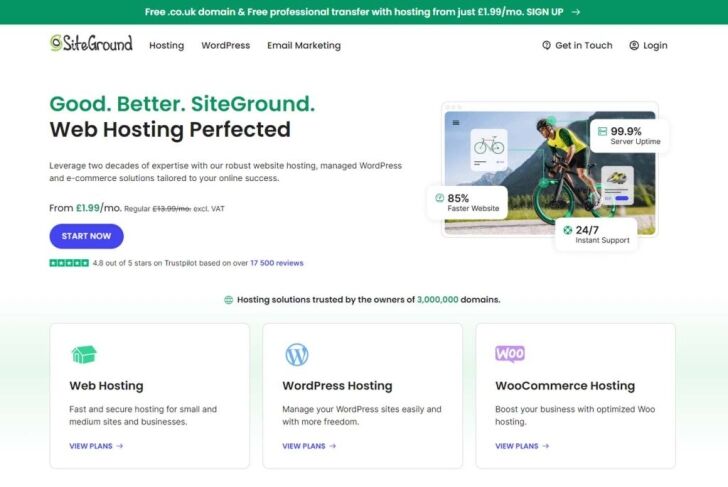
Your web hosting provider plays a foundational role in website speed. Opting for a high-performance hosting provider that offers WordPress-optimised servers, fast SSD storage, and solid infrastructure will give your site the power it needs to load quickly.
Managed WordPress hosting, such as SiteGround, Kinsta, or WP Engine, can be especially beneficial, as these providers often include caching, CDN, and other speed optimisation tools in their services.
2. Use a Lightweight WordPress Theme

Themes packed with unnecessary features, animations, and code can slow down your website significantly. Choose a lightweight theme that prioritises speed and performance over aesthetics.
Themes like GeneratePress, Astra, and Neve are known for being lightweight and fast-loading, which can give your site an immediate performance boost.
Look for themes that are well-coded, regularly updated, and compatible with the latest WordPress version.
3. Implement Caching

Caching is one of the most effective ways to improve site speed. A cache temporarily stores data, allowing users to access your website faster by skipping redundant data retrieval.
Caching plugins like WP Rocket, W3 Total Cache, and LiteSpeed Cache help create cached versions of your website, reducing the load on your server and improving load times.
If your hosting provider offers built-in caching, make sure to activate it as well.
4. Optimise Images
Images often account for a large portion of a website’s file size, making them a common culprit for slow loading speeds. Optimising images by compressing them can reduce their file size without sacrificing quality.
Plugins like Smush, Imagify, and ShortPixel automatically compress images upon upload, reducing the strain on your website’s resources. Additionally, using the WebP format, which offers better compression than JPEG and PNG, can further speed up your site.
5. Enable Lazy Loading
Lazy loading is a technique where images and other media only load as users scroll down the page. This approach saves bandwidth and improves the initial load time for visitors who don’t scroll down.
WordPress has built-in lazy loading support, but plugins like Lazy Load by WP Rocket can provide further control and optimisation for image loading. Lazy loading is especially helpful for pages with many images or long articles.
6. Minify CSS, JavaScript, and HTML
Your website’s code can contain spaces, line breaks, and comments that increase file size and loading times. Minifying CSS, JavaScript, and HTML removes these unnecessary elements, resulting in faster-loading pages.
Plugins like Autoptimize and WP Rocket simplify this process by automatically minifying files for you. Additionally, consider loading JavaScript files asynchronously to prevent them from blocking other content from loading.
7. Use a Content Delivery Network (CDN)

A Content Delivery Network (CDN) distributes your site’s static content, such as images, CSS, and JavaScript files, across multiple servers worldwide. By serving these files from a server closest to the visitor,
A CDN reduces latency and improves load times for global visitors.
Popular CDNs include Cloudflare, StackPath, and BunnyCDN. Many hosting providers also offer integrated CDN options, which can simplify the setup process.
8. Limit Plugins and Keep Them Updated
While plugins add functionality to your site, too many can bog down your website, especially if they’re poorly coded or outdated. Conduct a plugin audit and deactivate or remove any unnecessary plugins.
Additionally, always keep your active plugins updated to ensure compatibility with the latest WordPress version and optimal performance. For essential features, consider multi-functional plugins, like Jetpack or WP Rocket, to reduce the total number of plugins needed.
9. Clean Up Your Database
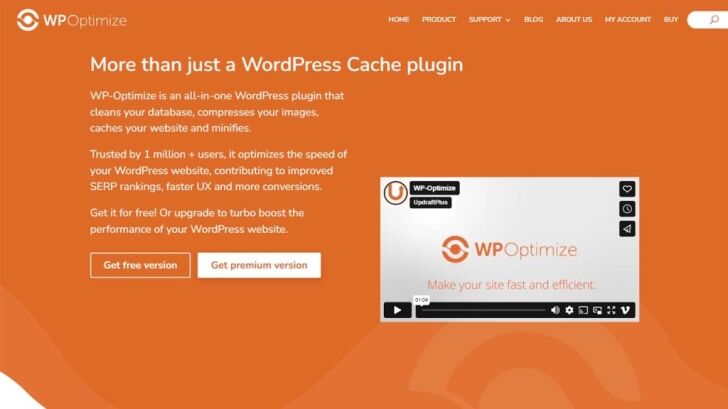
Over time, your WordPress database accumulates redundant data, such as post revisions, spam comments, and trashed items. This build-up can slow down your site’s performance. Regularly cleaning up your database with plugins like WP-Optimize or Advanced Database Cleaner will help maintain a lean and efficient database, improving your website’s speed.
10. Disable Hotlinking
Hotlinking is when other websites link directly to your images, using your bandwidth to display them on their site. This can slow down your website if your images are accessed frequently on external sites.
To prevent hotlinking, you can add a few lines of code to your .htaccess file or use security plugins that offer hotlinking protection.
11. Reduce Redirects
Too many redirects can increase loading time, as each redirect adds an HTTP request and delay. Regularly check your website for unnecessary redirects and clean them up.
Use tools like Redirection or Yoast SEO to manage redirects efficiently and keep your site streamlined.
12. Optimise CSS and JavaScript Loading
In addition to minification, optimizing how CSS and JavaScript files are loaded can improve your site’s speed. If certain styles or scripts are not needed immediately, consider deferring their loading to ensure they don’t block the rendering of your main content.
WP Rocket and Autoptimize offer features to delay or defer CSS and JavaScript loading, allowing your page’s essential content to load faster.
13. Enable GZIP Compression
GZIP compression reduces the size of files sent from your server to visitors’ browsers, which can significantly speed up loading times. Many caching plugins, such as WP Rocket and W3 Total Cache, offer built-in GZIP compression.
Alternatively, you can enable it manually through your server’s settings or by adding code to your .htaccess file.
14. Regularly Monitor Website Speed
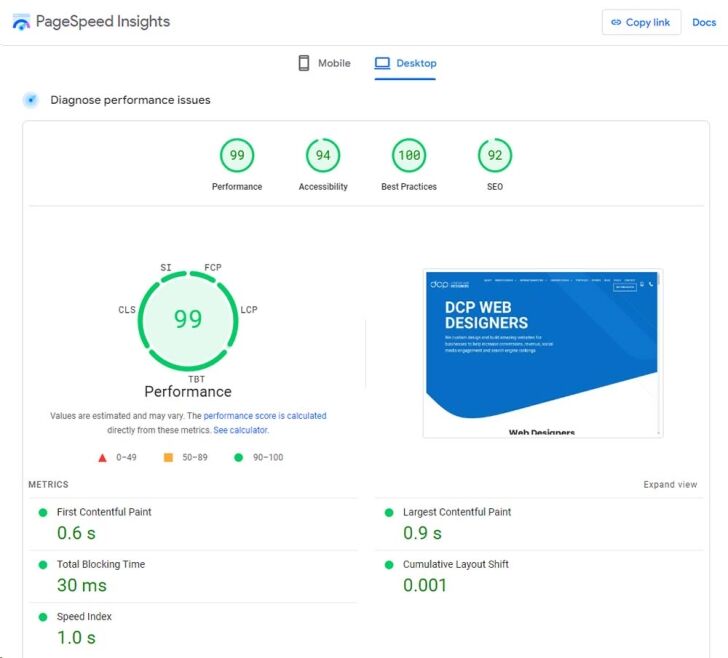
To keep your website performing at its best, monitor its speed regularly.
Tools like Google PageSpeed Insights, GTmetrix, and Pingdom provide detailed reports on your website’s performance, highlighting areas for improvement.
Regular monitoring helps you identify speed issues early and allows you to make ongoing optimisations.
Conclusion
A fast-loading WordPress website enhances user experience, boosts SEO, and ultimately increases conversions.
By implementing these tips, from choosing a reliable hosting provider to enabling GZIP compression, you can significantly improve your site’s speed and overall performance.
Remember that website speed optimisation is an ongoing process, so regular monitoring and fine-tuning will ensure your WordPress site remains fast, responsive, and competitive.



