

Navigating the world of WordPress plugins can feel like picking your way through a busy market. If you want your business to stand out and run smoothly, picking the right tools is non-negotiable. The appropriate set of plugins will keep your website secure, visible on search engines, lightning fast, and legally compliant, all while giving you control over design and customer engagement.
This guide hands you the ten must-have WordPress plugins every UK business website needs in 2026. From boosting SEO to keeping your data backed up and putting lead generation on autopilot, these proven tools do the heavy lifting for you. Whether you’re building from scratch or upgrading, these plugins put your business on a firm digital footing and help get real results in the search rankings, in your inbox, and at the till.

Why Plugins Matter for Business Websites in the UK
When you’re running a UK business WordPress website, plugins aren’t just nice extras-they’re the nuts and bolts that keep things ticking over. With countless options out there, the right plugins save you hours of tweaking and troubleshooting. They have the power to turn a basic website into a local powerhouse, or even a national player with a little help from.
Security is a massive talking point. The right security plugins will guard your site like a lock on a shop door. Data backups keep all your hard work safe, so even if something goes wrong, you’re not starting from scratch. At the same time, performance plugins improve your site’s speed, which is important for your visitors and your Google rankings alike.
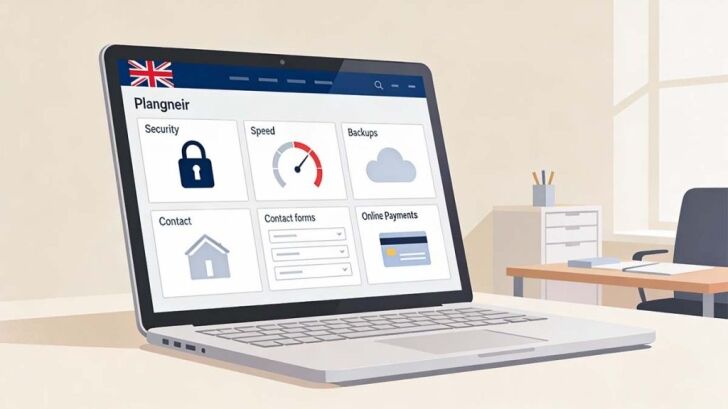
Usability is another big win. Plugins give you contact forms, booking systems, e-commerce capabilities, and far more. They’re also at the heart of making your website accessible for all and keeping your business on the right side of UK laws like GDPR and the Equality Act. Importantly, plugin selection shapes your business reputation-if your site is slow, prone to errors, or difficult to use, customers will quickly lose faith.
In short, plugins help you sidestep avoidable headaches and make your website a safe, professional place to do business. Getting this part right means more efficiency, stronger compliance, better search rankings, and-most of all-happier customers.
Core SEO and Analytics Plugins for Better Business Results

Having a good-looking website isn’t much use if nobody ever finds it. That’s where SEO and analytics plugins step in. These tools help your business climb search results, reach more people, and discover what’s converting visitors into customers.
We’ll be shining a light on the best plugins for on-page optimisation and real-time tracking, designed to help UK businesses see measurable, meaningful growth online. If you want to know where your traffic comes from, what your audience loves, and how to improve your rankings, you’re in the right place. The next sections break down the essentials for boosting SEO and analysing your website’s performance the smart way.
Comparing Yoast SEO and Rank Math for On-Page Optimisation
- Ease of Use Yoast SEO has a clean, beginner-friendly interface. Its traffic light system makes it easy for anyone to spot what needs fixing on a page or post.
- Rank Math’s setup wizard and modular dashboard mean you can toggle features on or off. Some users find the learning curve a tad steeper, but you get a ton of flexibility.
- Core Feature Set Both plugins offer must-haves: meta description editing, title tag management, and content readability checks.
- Rank Math sweetens the deal with more built-in options, like advanced schema generator, 404 monitor, rich snippet support and all free. With Yoast, extras like those usually sit behind their premium paywall.
- Schema Markup & Rich Snippets Rank Math shines for schema markup. It has lots of templates ready and supports custom types with less code-juggling.
- Yoast SEO covers the basics well, but if you want complex structured data, it can take more manual setup or paid add-ons.
- Content Readability & SEO Checks Yoast’s readability and keyword analysis are clear, with real-time feedback on your writing. This helps you craft content that’s both Google and people-friendly.
- Rank Math offers keyword suggestions and multiple keyword focusing per post in its free tier. For data hounds, that’s a serious plus.
- Impact on Search Rankings Both improve search visibility if you use them right. Yoast’s longevity gives it a track record, but Rank Math’s features offer a technical edge, especially for advanced users.
- Each integrates smoothly with Google Search Console, and both help get your site’s meta information spot-on for better SEO rankings.
Practical verdict: If you want “set it and forget it” ease with trusted basics, Yoast is a safe bet. If you need more advanced SEO features without constant upgrade nags, Rank Math deserves a close look. Either will help UK business sites climb search results, but the right fit depends on how hands-on you want to be.
Analytics Integration With MonsterInsights and Google Tools
- Direct Dashboard Analytics MonsterInsights connects Google Analytics to your WordPress dashboard, so you see visitor stats without hopping between tabs. You can keep your finger on the pulse without dealing with the technical side of Google Analytics setup.
- After quick setup, MonsterInsights shows you traffic trends, popular pages, bounce rates and all in simple, colourful charts right inside your website.
- Google Search Console Integration It’s easy to connect your site to Google Search Console. This shows you exactly what search queries bring people to your site and highlights any crawling issues Google’s bots run into.
- By combining page analytics with search performance, you spot gaps in your content and see which keywords drive results.
- Performance Insights & Behaviour Tracking MonsterInsights can break down visitor behaviour, showing where people click, how they scroll, and where you lose them. This is gold dust for tuning your funnel and boosting conversions.
- Tailor reports to focus on UK business metrics, like conversions from national campaigns or which regions your customers come from.
- Seamless Integration & Reporting The plugin makes GDPR compliance easier by offering anonymised tracking and easy consent management.
- Reports are easy to digest and export. Business owners can share key data with their team or agency in seconds, with no fuss about data privacy rules.
Benefits: With MonsterInsights and Google Search Console working together, you get real-time, reliable analytics on your WordPress dashboard. This means better-informed decisions, sharper marketing strategies, and less time fiddling with code or spreadsheets.
Security and Backup Solutions Every Business Website Needs

No one wakes up hoping to deal with a hacked website or lost customer data. Every UK business needs a security plan, and plugins are the front line. Good security plugins keep out digital thieves and malicious bots, while reliable backup tools guarantee you can recover fast if disaster strikes.
This part of the guide introduces trusted plugins that guard against malware, brute-force attacks, and accidental slip-ups. The next sections look at firewalls, malware scanners, strong authentication, and the easiest ways to keep safe backups offsite-giving you the confidence that your online shopfront is defended day and night.
Top Security Plugins: Wordfence Security and Two-Factor Authentication
- Wordfence Security: Firewall and Malware Scanner Wordfence is a heavy hitter for business sites, bringing a robust application firewall that blocks hacking attempts, suspicious traffic, and brute-force logins before damage is done.
- It includes a powerful malware scanner that checks your core files, themes, and plugins for known threats. The free version detects the major risks, while premium unlocks real-time updates against new attacks.
- Two-Factor Authentication (2FA): Stopping Unauthorised Logins Adding 2FA means users must confirm their identity with their phone or app, not just a password. This throws a massive wrench in a hacker’s plan, even if your password leaks, they still can’t break in easily.
- Wordfence includes built-in support for 2FA. Alternatively, plugins like Google Authenticator or WP 2FA give similar, reliable protection at login.
- Pros and ConsPros: Wordfence’s setup guide is plain-English, making security accessible. The plugin sends alerts if anything fishy pops up, so you can jump on issues fast. Two-factor authentication is a game-changer for keeping accounts safe.
- Cons: Wordfence’s scans can slow cheap hosting plans. For complete, real-time protection, you’ll want the premium version. Some 2FA plugins need users to get used to a different login routine, but it’s worth the learning curve.
- Setup Considerations for UK Businesses Tweak the firewall settings to match your regular UK visitor traffic and business hours to avoid locking out genuine customers or staff.
- Check privacy settings to ensure malware reporting keeps you GDPR-friendly by not sending personal data back to plugin providers without checks.
With a proper security plugin and two-factor authentication hooked up, you knock out the biggest online risks before they start causing chaos.
Reliable Backup With UpdraftPlus and Cloud Storage
- UpdraftPlus: The Go-To Backup Plugin UpdraftPlus is the favourite backup plugin for many businesses because it’s straightforward and powerful. You can schedule automatic backups as often as you like, daily, weekly, or even hourly for busy sites.
- It stores backups securely in cloud services like Google Drive, Dropbox, or Amazon S3. This means your website is safe even if your web host goes down or data is lost to malware.
- Easy Restoration and Disaster Recovery The plugin shines when things go sideways. If you ever need to restore your website, UpdraftPlus can quickly roll back to a safe point with just a couple of clicks, so there’s little downtime for your customers.
- You can also migrate sites between servers using its restore function, making upgrades or hosting changes much less stressful.
- Automation and Data Protection Compliance Setting up automated backups is simple. Set it once and the plugin handles the rest, reducing the risk of forgetting a crucial security step.
- This is vital for GDPR compliance, since the UK’s data protection rules require proper data integrity management. Cloud backups add an extra layer of proof that your business takes security seriously.
- Setup Recommendations Pick a cloud storage option that’s reliable and accessible, you don’t want backups stored on the same server as your website as that defeats the safety net.
- Test your backups by running a restore every so often. Knowing your backup works beats hoping for the best, every single time.
With UpdraftPlus and cloud storage, you give your business site a solid safety net. It’s not glamorous, but you’ll thank yourself when crisis is averted in minutes instead of days.
- UpdraftPlus: The Go-To Backup Plugin UpdraftPlus is the favourite backup plugin for many businesses because it’s straightforward and powerful. You can schedule automatic backups as often as you like, daily, weekly, or even hourly for busy sites.
- It stores backups securely in cloud services like Google Drive, Dropbox, or Amazon S3. This means your website is safe even if your web host goes down or data is lost to malware.
- Easy Restoration and Disaster Recovery The plugin shines when things go sideways. If you ever need to restore your website, UpdraftPlus can quickly roll back to a safe point with just a couple of clicks, so there’s little downtime for your customers.
- You can also migrate sites between servers using its restore function, making upgrades or hosting changes much less stressful.
- Automation and Data Protection Compliance Setting up automated backups is simple. Set it once and the plugin handles the rest, reducing the risk of forgetting a crucial security step.
- This is vital for GDPR compliance, since the UK’s data protection rules require proper data integrity management. Cloud backups add an extra layer of proof that your business takes security seriously.
- Setup Recommendations Pick a cloud storage option that’s reliable and accessible, you don’t want backups stored on the same server as your website as that defeats the safety net.
- Test your backups by running a restore every so often. Knowing your backup works beats hoping for the best, every single time.
With UpdraftPlus and cloud storage, you give your business site a solid safety net. It’s not glamorous, but you’ll thank yourself when crisis is averted in minutes instead of days.
Performance and Image Optimisation Plugins for Speed and SEO

No one’s waiting around these days. If your website takes too long to load, people leave and never look back. Page speed is also a big deal for Google rankings, so shaving off seconds is vital for your business’s online health.
This section gives a whistle-stop tour of the best plugins for speeding things up. You’ll find out how caching and smart image optimisation make your UK business site snappy, easy to use, and easy to find in the search results. The next parts get into the nuts and bolts, how to use these plugins to improve loading times and customer experience fast.
Best Caching Plugins: WP Rocket, W3 Total Cache and Autoptimize
- WP Rocket: Premium Power with Effortless Setup WP Rocket is a paid cache plugin, but many consider it worth every penny. It works straight out of the gate, just install, activate, and see your website’s speed jump noticeably.
- Features include page caching, browser caching, database optimisation, and built-in lazy loading for images and videos. Its interface keeps things tidy and beginner-friendly.
- W3 Total Cache: Detailed, Free and Customisable W3 Total Cache is a favourite for tech-savvy users. It’s free, endlessly customisable, and supports object caching, CDN integration, and minification of scripts and styles for advanced performance gains.
- The interface offers tons of controls, but it can feel daunting unless you’re comfortable tweaking behind the scenes. However, it enables big-time speed-ups if you’ve got the patience.
- Autoptimize: Simple Front-End Optimisation Autoptimize makes site speed improvements less technical. It minifies CSS, JavaScript, and HTML files, reducing file bloat and keeping your site nippy on all devices.
- It pairs easily with both WP Rocket and W3 Total Cache, so you can use it as a bolt-on alongside your main caching solution for extra effect.
- Recommended Setup for UK Businesses If you want “set it and forget it” results, WP Rocket is a brilliant choice, especially for e-commerce and customer-facing sites where speed is non-negotiable.
- Budget-conscious? W3 Total Cache offers huge power, but plan to invest a bit of time learning the settings. For a hassle-free boost, Autoptimize handles the technical bits with little fuss.
In all cases, clearing your cache and testing load times after making changes helps keep your customer experience and conversion rates high.
Efficient Image Optimisation With Smush and ShortPixel
- Smush: Automatic, Bulk Image Optimisation Smush compresses images automatically when you upload them, with a handy bulk-optimise feature for old uploads. This strips out unnecessary data, trims file sizes, and speeds up your site-without a noticeable hit to image clarity.
- Features like lazy loading and on-the-fly resizing let your website only load what’s needed, when it’s needed, making a big dent in mobile load times.
- ShortPixel: Powerful Compression and Modern Formats ShortPixel shines for businesses dealing with lots of product photos or galleries. It serves images in next-gen formats like WebP, which Google loves and which load even faster on modern browsers.
- This plugin packs a lot of punch with batch optimisation, automatic resizing, and the ability to compress images already online-perfect for busy UK retailers and service providers.
- Optimising for SEO and User Experience Well-optimised images mean quicker pages, a lower bounce rate, and a tick next to Google’s Core Web Vitals metric. Both Smush and ShortPixel make meeting these web standards easy, even for non-techies.
- Maintaining picture quality is crucial, especially for shops or portfolio sites. Both plugins let you tweak settings to keep important details sharp.
- Getting Started Tips Use bulk optimisation after installation to get instant results across your entire media library.
- Stick with lossless compression if visuals are critical (think product photos), or swap to lossy for maximum speed in less image-dependent sites.
With either plugin, you’ll notice a lighter, faster website right away-keeping customers on your pages and not jumping ship due to slow loading.
Contact Forms and CRM Integration for Lead Generation
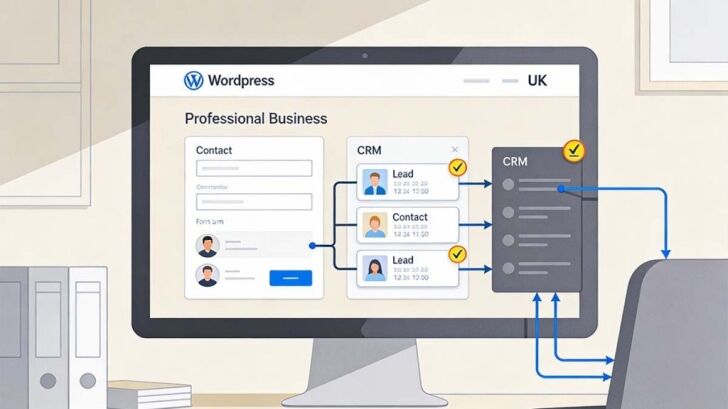
Your website should be more than a digital business card-it should help bring in new leads around the clock. Great contact forms and CRM integrations make that happen, smoothly connecting you with customers and keeping sales opportunities from slipping through the net.
This section introduces the best plugins for building professional forms, collecting customer information, and funnelling it right into your CRM system. The next parts dig into form builders and practical CRM solutions, so every enquiry is tracked and every follow-up is effortless for busy UK teams.
Powerful Contact Forms: WPForms, Ninja Forms and Gravity Forms
- WPForms: Drag-and-Drop Simplicity WPForms is a standout for its ease of use. Drag-and-drop fields mean you don’t need to know a scrap of code to set up contact, booking, or payment forms.
- Conditional logic lets you show or hide fields depending on answers-a useful edge for tailoring forms to different services or types of customer.
- Ninja Forms: Versatile and Integrations-Friendly Ninja Forms is strong on customisability, letting you build anything from a basic feedback box to a multi-step application form. Integration with email services and payment gateways is baked in.
- If you want to grow your site’s functionality over time, Ninja Forms offers loads of add-ons for everything from file uploads to CRM links.
- Gravity Forms: Advanced Features and Professional Flair Gravity Forms is the go-to for businesses needing advanced options. Powerful integrations, calculations, and robust anti-spam protections suit teams that want detailed control over workflow and entries.
- This plugin’s GDPR options are thorough, letting you add required consent fields to keep your forms on the right side of UK data law.
- UK-Specific Tips All three plugins support adding GDPR checkboxes and privacy messages, which is a must if you’re handling customer details in the UK.
- Pick payment gateways that support UK providers or currencies when setting up online payment forms-no sense making it harder for customers to pay you.
The right form builder makes capturing and handling leads as painless as possible, saving you time and keeping prospects moving in the right direction.
CRM Integration With HubSpot for Streamlined Lead Generation
- HubSpot CRM Plugin for WordPress Connecting your WordPress forms to HubSpot lets new leads land directly in your CRM without manual re-entry. This means every enquiry, sign-up, or contact is logged and ready for follow-up instantly.
- HubSpot’s plugin tracks website visitor details and links their activity history, which helps sales and support teams personalise responses later on.
- Email Marketing and Automation Benefits The CRM can automatically send welcome emails, kick off nurture campaigns, or assign tasks to team members the moment a form is filled out.
- This kind of automation frees your team from repetitive admin and makes sure leads don’t get lost in the shuffle-especially handy for small teams or solo business owners.
- Integration Steps and Quick Tips Setting up is straightforward-just install the HubSpot plugin, connect your account, and map your existing forms. You can even use HubSpot’s built-in drag-and-drop forms if you prefer.
- For British businesses, make sure email templates and follow-ups comply with GDPR, and tailor your forms to collect only the data you need.
- Bringing Marketing, Sales, and Support Together When queries, purchases, and support tickets all flow into one dashboard, you get a full view of your customer journey and never have to piece together data from different systems.
- This results in more closed sales, quicker response times, and happier customers-giving your business a strong edge.
If you want to work smarter and not harder, tight integration between your website and CRM is the simplest way to keep your sales pipeline moving without anything slipping through the cracks.
Essential E-Commerce and Business Extensions
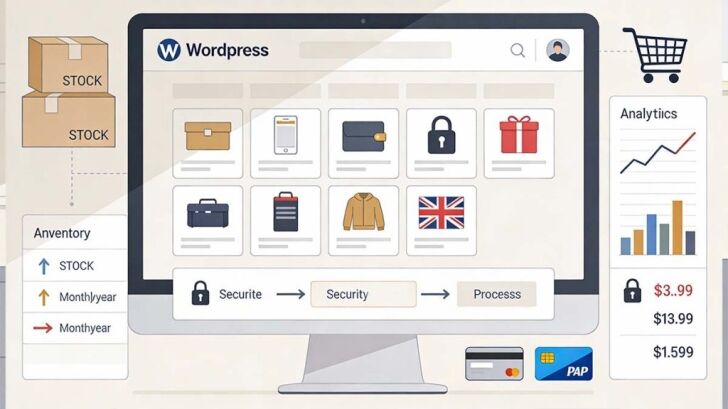
If your business is selling online, upgrading to proper e-commerce tools is a must. A secure, smooth-running shopfront gives customers confidence and keeps orders rolling in, day and night.
This section spotlights plugins built for UK online shops, covering key payment gateways, subscription tools, inventory management, and the extras that make shop management easier. The next stop is a practical walkthrough on using WooCommerce and its key add-ons.
Setting Up an Online Store With WooCommerce and Key Plugins
- WooCommerce Plugin: Core Shop Features WooCommerce lets you build a stable, feature-rich online store directly inside WordPress. Out of the box, you can handle unlimited products, manage inventory, and run sales and vouchers-ideal for the UK high street or national e-commerce brands.
- The setup wizard walks you through shipping zones, local or global currency options, and VAT tax settings, making it a breeze to sell legally across the UK.
- Payment Gateways: PayPal and Stripe Integration Accepting payments is simple with built-in support for the most popular gateways, including PayPal and Stripe. This gives your customers secure, familiar ways to pay and you fast, reliable payouts.
- Additional plugins are available for direct debit, Apple Pay, and popular UK banks, so you can cater to every shopper’s preference.
- Subscription Management and Add-Ons WooCommerce Subscriptions (a paid add-on) runs recurring payments for things like memberships or weekly food delivery. This fits UK service businesses and subscription box retailers perfectly.
- Handy add-ons let you send order tracking emails, run abandoned cart campaigns, and integrate accounting or tax software, so you spend less time managing and more serving customers.
- Analytics, Marketing, and Compliance Built-in reports show sales, customer behaviour, and inventory levels in a couple of clicks. You always have the numbers to hand, whether you’re preparing for end-of-year accounts or adjusting your marketing plan.
- Compliance plugins-like GDPR cookie notices and accessible checkout forms-round off your online shop’s setup, keeping you in line with UK law and customer expectations.
Building your shop with WooCommerce and these add-ons gives you a solid, scalable online sales machine that’s tailored for British businesses, large or small.
Maintenance, Compliance and Operational Tools
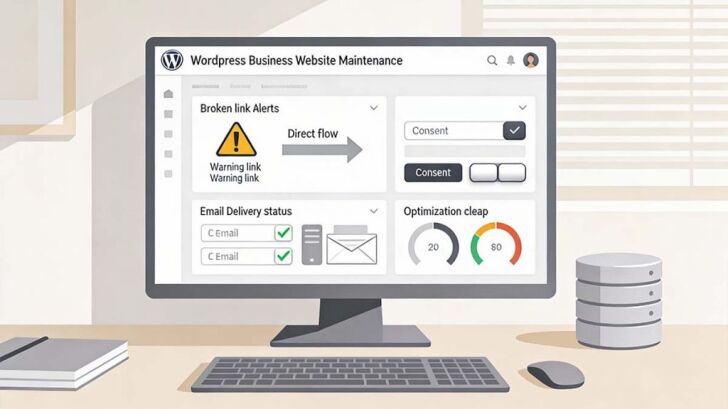
No one wants their website slipping down the rankings or attracting fines because of preventable errors. Keeping things tidy behind the scenes is what lets your site grow steadily and stay trustworthy with visitors and search engines alike.
This section introduces essential plugins for checking link health, ensuring data privacy, and keeping the website humming along efficiently. The H3s ahead get into the specifics-what tools to use and how they make the day-to-day work lighter for any British business operator.
Broken Link Checker, Redirection, and 404 Monitoring
- Broken Link Checker: Spot and Fix Dead Links This plugin scans your site regularly for broken internal or external URLs-things that frustrate your visitors and chip away at your Google rankings if ignored.
- With broken links flagged up in your dashboard, fixing them takes only a few clicks. No more endless hunting through every page by hand.
- Redirection Plugin: Smooth Out Changes and Avoid SEO Loss Redirection makes it simple to reroute old or changed URLs to new, working pages. You can create 301 redirects for moved content or wholesale site structure updates, keeping both users and search engines happy.
- Automated logging tracks how often redirects are used, so you can spot trends and get rid of clunky or outdated routes over time.
- 404 Monitoring: Catch and Close Gaps Fast 404 monitors show where users are hitting dead ends so you can create redirects or fix issues before visitors bounce to a competitor.
- For UK business sites, catching and addressing these errors early preserves your site’s reputation and stops SEO rankings from sliding.
- Actionable Suggestions Check broken links weekly and fix any flagged issues promptly. Use the redirection plugin to send old links to their new homes-this is crucial when updating services, staff pages, or migrating your blog.
- If you run seasonal campaigns or promotions, don’t forget to reroute or remove outdated pages afterwards-the right plugins make this easy and hassle-free.
Stay on top of your site’s link health, and you’ll keep users and search engines on side year-round.
Email Delivery, GDPR Compliance and Database Cleanup
- WP Mail SMTP: Reliable Email Delivery If your contact forms, order notifications, or newsletters end up in spam, your business could miss new leads or important updates. WP Mail SMTP fixes delivery issues by routing emails through a trusted mail provider, authenticating every message, and logging errors for quick troubleshooting.
- You can choose services (like Gmail, Outlook, or your own host) to suit your needs-making it ideal for businesses who need every customer message to land safely.
- CookieYes: Easy GDPR Compliance Keep on the right side of both UK and EU law with CookieYes. It lets users decide what cookies get set, displays customisable banners, and stores records of consent-crucial proof in the event of a compliance query.
- Simple to configure, CookieYes fits busy sites and small teams, and can be tweaked to match your branding and local requirements.
- Database Cleanup: Faster Performance, No Clutter Over time, your WordPress database picks up lots of extra baggage like spam comments, post revisions, and unused tables from old plugins. Clean-up tools like WP-Optimize clear out this debris, making your site faster and preventing slowdowns from bogging down the user experience.
- Set weekly or monthly sweeps to stay lean and prevent accidental slowdowns-or worse, data errors-over time.
- Spam Protection and Regular Maintenance Anti-spam plugins, such as Akismet, keep unwanted comments and emails out of your inbox so you focus on genuine enquiries and sales.
- Put the site in maintenance mode before big updates to avoid customer confusion-this looks more professional and prevents data hiccups if you’re patching or refreshing the site.
With strong email delivery, data compliance, and a healthy backend, your site will run smoother, keep visitors on side, and minimise the admin burden for your team.
Design, Customisation and Multi-Site Management Tools

Standing out from the competition means going beyond the standard WordPress look. Great design and easy management tools let you build a website you’re proud of-without endless developer fees or technical hurdles getting in the way.
This section introduces plugins that make building beautiful websites and handling multi-site setups straightforward. The H3s coming up offer targeted solutions for custom design and for managing several sites through one dashboard, so agencies and growing businesses can run smarter, not harder.
Custom WordPress Design Made Easy With Elementor
- Elementor: Drag-and-Drop Page Building Elementor makes creating professional, custom websites achievable even for beginners. Its drag-and-drop builder lets you visually arrange text, images, and buttons-what you see is what you get, no coding required.
- The plugin offers a huge library of pre-built templates and design blocks, saving hours on layout and letting you focus on your brand message.
- Responsive and Mobile-Ready by Default Designing for phones, tablets, and desktops is built in. Elementor previews your site on different devices and gives you granular control to fine-tune the look for every screen size-crucial for today’s mobile-first customers.
- Fast-loading code means Elementor sites are as speedy as they are eye-catching, with no nasty surprises for Google’s page speed checks.
- Custom Features for UK Businesses Elementor supports widgets for contact forms, maps, opening hours, and more-helping UK businesses clearly display key info and encourage direct engagement.
- You can easily integrate with compliance and inclusivity plugins to make sure your site meets legal requirements and serves every visitor well.
- Getting Started Tips Pick a template close to your brand or start from scratch. Reuse saved sections across different pages-useful for call-to-actions or testimonials.
- With Elementor Pro, unlock global design controls and motion effects, ideal for business owners who want a consistent, memorable online brand presence.
If visuals matter to your business-and they nearly always do, Elementor makes it affordable and practical to build a standout website, whatever your skill level.
Managing Multiple Sites With Multi-Site Control Plugins
- Centralised Management: Saving Time and Stress Plugins like ManageWP and InfiniteWP let you handle updates, backups, and plugin installs for several WordPress sites in one place. You can track security, performance, and uptime from a single dashboard-no more logging in and out of dozens of admin panels.
- Ideal for agencies, franchises, or businesses running several branches under one roof, this approach cuts down admin and reduces the risk of missing critical updates.
- Consistent Branding and Policy Application Apply the same themes, compliance policies, and plugins across all your sites with minimum fuss. This maintains a unified look, which is key for professional appearance and customer trust.
- Automated monitoring catches performance dips or security issues early, so every website runs as smoothly as the next.
- Fine-Tuned Access for Teams Assign different admin roles for team members or branch managers. Staff get access to what they need without the risk of accidental breakages elsewhere in the network.
- You can audit changes, track plugin updates, and monitor traffic-all while keeping tabs on compliance and GDPR responsibilities across your business sites.
- Setup Considerations Most central management plugins support scheduling backups for each site, with notifications if anything fails. This builds redundancy into your operations and reassures your partners or clients.
- For UK agencies, central control saves time and shrinks your margin for error-especially when managing many sites with similar compliance requirements.
Multi-site plugins shift website management from a juggling act to a simple, professional system-helping UK businesses and agencies scale with confidence.
Choosing the Right WordPress Plugins for Your UK Business
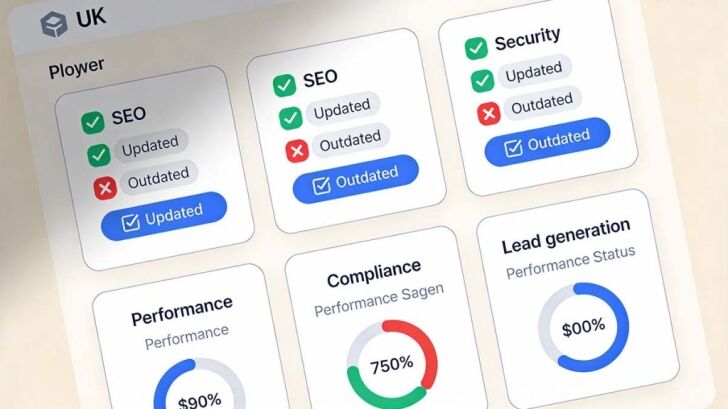
Picking WordPress plugins for your business website isn’t just about grabbing what sounds good. You want the ones that actually fit your goals, keep your site running smooth and safe, and won’t give you any nasty surprises later. Always check if a plugin has good reviews, is regularly updated, and works with your current WordPress version.
Here’s a handy checklist to help you cover all the essentials:
- SEO: Choose plugins like Yoast SEO or Rank Math for solid search rankings and on-page improvements.
- Security & Backups: Look for Wordfence, Two-Factor Authentication, and UpdraftPlus to keep your site protected and easily recoverable.
- Performance: Speed matters, so use caching and image optimisation plugins such as WP Rocket or Smush.
- Compliance & Accessibility: Prioritise tools that help with GDPR and those that boost accessibility for all users.
- Lead Generation: Make sure you have reliable contact forms and CRM integration to capture and manage leads properly.
Before you add anything new, check how it fits with your other tools and if it will be supported as WordPress updates roll out. A plugin that’s brilliant today might not be next year if support dries up or compatibility breaks.
Be ruthless and review your plugin lineup every few months. Ditch what you don’t use, update what’s vital, and don’t let your site get weighed down by old or redundant add-ons. Keeping plugins fresh and relevant helps your website stay secure, quick, and competitive as your business grows.
FAQs WordPress Plugins
Do I really need all these WordPress plugins for a small business website?
Not every site needs every plugin on day one, but most business websites need coverage across SEO, security, performance, and compliance. Even small UK businesses benefit from search visibility, fast load times, secure data handling, and reliable backups. The goal is balance, choose plugins that support your current needs while leaving room to grow, rather than adding tools you will never use.
How many WordPress plugins is too many for a business website?
There is no magic number, but quality matters more than quantity. A well-run business site often uses between 10 and 20 carefully chosen plugins. Problems usually come from outdated, overlapping, or poorly built plugins rather than the total count. Regular reviews help keep your site fast and stable by removing anything that no longer serves a clear purpose.
Are free WordPress plugins safe and reliable for UK businesses?
Many free plugins are perfectly safe and widely used by UK businesses, including SEO, security, and performance tools. Always check when the plugin was last updated, user reviews, and whether it works with your WordPress version. For critical features like backups, security, or e-commerce, paid versions can offer better support and peace of mind as your site grows.
How often should I update WordPress plugins on a business site?
Plugin updates should be checked at least once a month, or more often for busy or customer-facing sites. Security and compatibility updates should never be ignored. Before updating, take a backup so you can roll back if needed. Regular updates reduce the risk of hacks, errors, and performance issues, which helps protect your rankings and customer trust.
What happens if a plugin stops being supported or breaks my website?
This is why plugin reviews and maintenance matter. If a plugin is no longer updated or causes issues, replace it with a supported alternative as soon as possible. Always keep backups so you can restore your site quickly. Reviewing your plugin list every few months helps avoid relying on tools that could become a liability later on.
Choosing the right WordPress plugins can make a significant difference to your website’s security, speed, search engine visibility and day-to-day management. By installing reliable, well-supported plugins and keeping them updated, your website will be better equipped to support your business now and in the future.
At DCP Web Designers, our experienced WordPress Designers in London build bespoke WordPress websites using carefully selected plugins that improve performance, security and functionality without unnecessary bloat. Whether you’re launching a new website or enhancing an existing one, we’re here to help you create a WordPress website that delivers long-term results.



